Automatisation vidéo avec n8n : création de narrations audio
Ce workflow n8n a pour objectif de simplifier la création de narrations audio à partir de vidéos, en intégrant des outils d'intelligence artificielle et de traitement d'images. Dans un contexte où les entreprises cherchent à produire rapidement du contenu engageant, ce processus permet d'automatiser la génération de scripts narratifs et leur conversion en audio. Les cas d'usage incluent la création de vidéos explicatives, de tutoriels ou de présentations enrichies. Le workflow commence par un déclencheur manuel, permettant à l'utilisateur de lancer le processus à tout moment. Ensuite, il utilise le nœud 'OpenAI Chat Model' pour générer un script narratif basé sur le contenu vidéo. Les images sont ensuite capturées et redimensionnées grâce aux nœuds 'Capture Frames' et 'Resize Frame'. Les frames sont ensuite agrégées et converties en fichiers binaires pour être téléchargées sur Google Drive. Enfin, le texte généré est transformé en audio via le nœud 'Use Text-to-Speech', offrant une narration fluide et professionnelle. Ce workflow n8n apporte une valeur ajoutée significative en réduisant le temps de production de contenu et en améliorant la qualité des narrations audio, ce qui est essentiel pour les équipes marketing et de communication.
Workflow n8n vidéo, narration, Google Drive : vue d'ensemble
Schéma des nœuds et connexions de ce workflow n8n, généré à partir du JSON n8n.
Workflow n8n vidéo, narration, Google Drive : détail des nœuds
Inscris-toi pour voir l'intégralité du workflow
Inscription gratuite
S'inscrire gratuitementBesoin d'aide ?{
"meta": {
"instanceId": "408f9fb9940c3cb18ffdef0e0150fe342d6e655c3a9fac21f0f644e8bedabcd9"
},
"nodes": [
{
"id": "6d16b5be-8f7b-49f2-8523-9b84c62f2759",
"name": "OpenAI Chat Model",
"type": "@n8n/n8n-nodes-langchain.lmChatOpenAi",
"position": [
1960,
660
],
"parameters": {
"model": "gpt-4o-2024-08-06",
"options": {}
},
"credentials": {
"openAiApi": {
"id": "8gccIjcuf3gvaoEr",
"name": "OpenAi account"
}
},
"typeVersion": 1
},
{
"id": "a6084f09-9a4f-478a-ac1a-ab1413628c1f",
"name": "Capture Frames",
"type": "n8n-nodes-base.code",
"position": [
720,
460
],
"parameters": {
"mode": "runOnceForEachItem",
"language": "python",
"pythonCode": "import cv2\nimport numpy as np\nimport base64\n\ndef extract_evenly_distributed_frames_from_base64(base64_string, max_frames=90):\n # Decode the Base64 string into bytes\n video_bytes = base64.b64decode(base64_string)\n \n # Write the bytes to a temporary file\n video_path = '/tmp/temp_video.mp4'\n with open(video_path, 'wb') as video_file:\n video_file.write(video_bytes)\n \n # Open the video file using OpenCV\n video_capture = cv2.VideoCapture(video_path)\n \n # Get the total number of frames in the video\n total_frames = int(video_capture.get(cv2.CAP_PROP_FRAME_COUNT))\n \n # Calculate the step size to take 'max_frames' evenly distributed frames\n step_size = max(1, total_frames // (max_frames - 1))\n \n # List to store selected frames as base64\n selected_frames_base64 = []\n \n for i in range(0, total_frames, step_size):\n # Set the current frame position\n video_capture.set(cv2.CAP_PROP_POS_FRAMES, i)\n \n # Read the frame\n ret, frame = video_capture.read()\n if ret:\n # Convert frame (NumPy array) to a Base64 string\n frame_base64 = convert_frame_to_base64(frame)\n selected_frames_base64.append(frame_base64)\n if len(selected_frames_base64) >= max_frames:\n break\n \n # Release the video capture object\n video_capture.release()\n\n return selected_frames_base64\n\ndef convert_frame_to_base64(frame):\n # Convert the frame (NumPy array) to JPEG format\n ret, buffer = cv2.imencode('.jpg', frame)\n if not ret:\n return None\n\n # Encode JPEG image to Base64\n frame_base64 = base64.b64encode(buffer).decode('utf-8')\n return frame_base64\n\nbase64_video = _input.item.binary.data.data\nframes_base64 = extract_evenly_distributed_frames_from_base64(base64_video, max_frames=90)\n\nreturn { \"output\": frames_base64 }"
},
"typeVersion": 2
},
{
"id": "b45e82a4-f304-4733-a9cf-07cae6df13ea",
"name": "Split Out Frames",
"type": "n8n-nodes-base.splitOut",
"position": [
920,
460
],
"parameters": {
"options": {},
"fieldToSplitOut": "output"
},
"typeVersion": 1
},
{
"id": "83d29c51-a415-476d-b380-1ca5f0d4f521",
"name": "Download Video",
"type": "n8n-nodes-base.httpRequest",
"position": [
329,
346
],
"parameters": {
"url": "=https://cdn.pixabay.com/video/2016/05/12/3175-166339863_small.mp4",
"options": {}
},
"typeVersion": 4.2
},
{
"id": "0304ebb5-945d-4b0b-9597-f83ae8c1fe31",
"name": "Convert to Binary",
"type": "n8n-nodes-base.convertToFile",
"position": [
1480,
500
],
"parameters": {
"options": {},
"operation": "toBinary",
"sourceProperty": "output"
},
"typeVersion": 1.1
},
{
"id": "32a21e1d-1d8b-411e-8281-8d0e68a06889",
"name": "When clicking ‘Test workflow’",
"type": "n8n-nodes-base.manualTrigger",
"position": [
149,
346
],
"parameters": {},
"typeVersion": 1
},
{
"id": "0ad2ea6a-e1f4-4b26-a4de-9103ecbb3831",
"name": "Combine Script",
"type": "n8n-nodes-base.aggregate",
"position": [
2640,
360
],
"parameters": {
"options": {},
"aggregate": "aggregateAllItemData"
},
"typeVersion": 1
},
{
"id": "2d9bb91a-3369-4268-882f-f97e73897bb8",
"name": "Upload to GDrive",
"type": "n8n-nodes-base.googleDrive",
"position": [
3040,
360
],
"parameters": {
"name": "=narrating-video-using-vision-ai-{{ $now.format('yyyyMMddHHmmss') }}.mp3",
"driveId": {
"__rl": true,
"mode": "list",
"value": "My Drive",
"cachedResultUrl": "https://drive.google.com/drive/my-drive",
"cachedResultName": "My Drive"
},
"options": {},
"folderId": {
"__rl": true,
"mode": "id",
"value": "1dBJZL_SCh6F2U7N7kIMsnSiI4QFxn2xD"
}
},
"credentials": {
"googleDriveOAuth2Api": {
"id": "yOwz41gMQclOadgu",
"name": "Google Drive account"
}
},
"typeVersion": 3
},
{
"id": "137185f6-ba32-4c68-844f-f50c7a5a261d",
"name": "Sticky Note",
"type": "n8n-nodes-base.stickyNote",
"position": [
-440,
0
],
"parameters": {
"width": 476.34074202271484,
"height": 586.0597334122469,
"content": "## Try It Out!\n\n### This n8n template takes a video and extracts frames from it which are used with a multimodal LLM to generate a script. The script is then passed to the same multimodal LLM to generate a voiceover clip.\n\nThis template was inspired by [Processing and narrating a video with GPT's visual capabilities and the TTS API](https://cookbook.openai.com/examples/gpt_with_vision_for_video_understanding)\n\n* Video is downloaded using the HTTP node.\n* Python code node is used to extract the frames using OpenCV.\n* Loop node is used o batch the frames for the LLM to generate partial scripts.\n* All partial scripts are combined to form the full script which is then sent to OpenAI to generate audio from it.\n* The finished voiceover clip is uploaded to Google Drive.\n\nSample the finished product here: https://drive.google.com/file/d/1-XCoii0leGB2MffBMPpCZoxboVyeyeIX/view?usp=sharing\n\n\n### Need Help?\nJoin the [Discord](https://discord.com/invite/XPKeKXeB7d) or ask in the [Forum](https://community.n8n.io/)!"
},
"typeVersion": 1
},
{
"id": "23700b04-2549-4121-b442-4b92adf7f6d6",
"name": "Sticky Note1",
"type": "n8n-nodes-base.stickyNote",
"position": [
60,
120
],
"parameters": {
"color": 7,
"width": 459.41860465116287,
"height": 463.313953488372,
"content": "## 1. Download Video\n[Learn more about the HTTP Request node](https://docs.n8n.io/integrations/builtin/core-nodes/n8n-nodes-base.httprequest/)\n\nIn this demonstration, we'll download a stock video from pixabay using the HTTP Request node. Feel free to use other sources but ensure they are in a format support by OpenCV ([See docs](https://docs.opencv.org/3.4/dd/d43/tutorial_py_video_display.html))"
},
"typeVersion": 1
},
{
"id": "0a42aeb0-96cd-401c-abeb-c50e0f04f7ad",
"name": "Sticky Note2",
"type": "n8n-nodes-base.stickyNote",
"position": [
560,
120
],
"parameters": {
"color": 7,
"width": 605.2674418604653,
"height": 522.6860465116279,
"content": "## 2. Split Video into Frames\n[Learn more about the Code node](https://docs.n8n.io/integrations/builtin/core-nodes/n8n-nodes-base.code/)\n\nWe need to think of videos are a sum of 2 parts; a visual track and an audio track. The visual track is technically just a collection of images displayed one after the other and are typically referred to as frames. When we want LLM to understand videos, most of the time we can do so by giving it a series of frames as images to process.\n\nHere, we use the Python Code node to extract the frames from the video using OpenCV, a computer vision library. For performance reasons, we'll also capture only a max of 90 frames from the video but ensure they are evenly distributed across the video. This step takes about 1-2 mins to complete on a 3mb video."
},
"typeVersion": 1
},
{
"id": "b518461c-13f1-45ae-a156-20ae6051fc19",
"name": "Sticky Note3",
"type": "n8n-nodes-base.stickyNote",
"position": [
560,
660
],
"parameters": {
"color": 3,
"width": 418.11627906976724,
"height": 132.89534883720933,
"content": "### 🚨 PERFORMANCE WARNING!\nUsing large videos or capturing a large number of frames is really memory intensive and could crash your n8n instance. Be sure you have sufficient memory and to optimise the video beforehand! "
},
"typeVersion": 1
},
{
"id": "585f7a7f-1676-4bc3-a6fb-eace443aa5da",
"name": "Sticky Note4",
"type": "n8n-nodes-base.stickyNote",
"position": [
1200,
118.69767441860472
],
"parameters": {
"color": 7,
"width": 1264.8139534883715,
"height": 774.3720930232558,
"content": "## 3. Use Vision AI to Narrate on Batches of Frames\n[Read more about the Basic LLM node](https://docs.n8n.io/integrations/builtin/cluster-nodes/root-nodes/n8n-nodes-langchain.chainllm/)\n\nTo keep within token limits of our LLM, we'll need to send our frames in sequential batches to represent chunks of our original video. We'll use the loop node to create batches of 15 frames - this is because of our max of 90 frames, this fits perfectly for a total of 6 loops. Next, we'll convert each frame to a binary image so we can resize for and attach to the Basic LLM node. One trick to point out is that within the Basic LLM node, previous iterations of the generation are prepended to form a cohesive script. Without, the LLM will assume it needs to start fresh for each batch of frames.\n\nA wait node is used to stay within service rate limits. This is useful for new users who are still on lower tiers. If you do not have such restrictions, feel free to remove this wait node!"
},
"typeVersion": 1
},
{
"id": "42c002a3-37f6-4dd7-af14-20391b19cb5a",
"name": "Stay Within Service Limits",
"type": "n8n-nodes-base.wait",
"position": [
2280,
640
],
"webhookId": "677fa706-b4dd-4fe3-ba17-feea944c3193",
"parameters": {},
"typeVersion": 1.1
},
{
"id": "5beb17fa-8a57-4c72-9c3b-b7fdf41b545a",
"name": "For Every 15 Frames",
"type": "n8n-nodes-base.splitInBatches",
"position": [
1320,
380
],
"parameters": {
"options": {},
"batchSize": 15
},
"typeVersion": 3
},
{
"id": "9a57256a-076a-4823-8cad-3b64a17ff705",
"name": "Resize Frame",
"type": "n8n-nodes-base.editImage",
"position": [
1640,
500
],
"parameters": {
"width": 768,
"height": 768,
"options": {
"format": "jpeg"
},
"operation": "resize"
},
"typeVersion": 1
},
{
"id": "3e776939-1a25-4ea0-8106-c3072d108106",
"name": "Aggregate Frames",
"type": "n8n-nodes-base.aggregate",
"position": [
1800,
500
],
"parameters": {
"options": {
"includeBinaries": true
},
"aggregate": "aggregateAllItemData"
},
"typeVersion": 1
},
{
"id": "3a973a9c-2c7a-43c5-9c45-a14d49b56622",
"name": "Sticky Note5",
"type": "n8n-nodes-base.stickyNote",
"position": [
2500,
120.6860465116277
],
"parameters": {
"color": 7,
"width": 769.1860465116274,
"height": 487.83720930232533,
"content": "## 4. Generate Voice Over Clip Using TTS\n[Read more about the OpenAI node](https://docs.n8n.io/integrations/builtin/app-nodes/n8n-nodes-langchain.openai)\n\nFinally with our generated script parts, we can combine them into one and use OpenAI's Audio generation capabilities to generate a voice over from the full script. Once we have the output mp3, we can upload it to somewhere like Google Drive for later use.\n\nHave a listen to the finished product here: https://drive.google.com/file/d/1-XCoii0leGB2MffBMPpCZoxboVyeyeIX/view?usp=sharing"
},
"typeVersion": 1
},
{
"id": "92e07c18-4058-4098-a448-13451bd8a17a",
"name": "Use Text-to-Speech",
"type": "@n8n/n8n-nodes-langchain.openAi",
"position": [
2840,
360
],
"parameters": {
"input": "={{ $json.data.map(item => item.text).join('\\n') }}",
"options": {
"response_format": "mp3"
},
"resource": "audio"
},
"credentials": {
"openAiApi": {
"id": "8gccIjcuf3gvaoEr",
"name": "OpenAi account"
}
},
"typeVersion": 1.5
},
{
"id": "0696c336-1814-4ad4-aa5e-b86489a4231e",
"name": "Sticky Note6",
"type": "n8n-nodes-base.stickyNote",
"position": [
61,
598
],
"parameters": {
"color": 7,
"width": 458.1279069767452,
"height": 296.8139534883723,
"content": "**The video used in this demonstration is**\n© [Coverr-Free-Footage](https://pixabay.com/users/coverr-free-footage-1281706/) via [Pixabay](https://pixabay.com/videos/india-street-busy-rickshaw-people-3175/)\n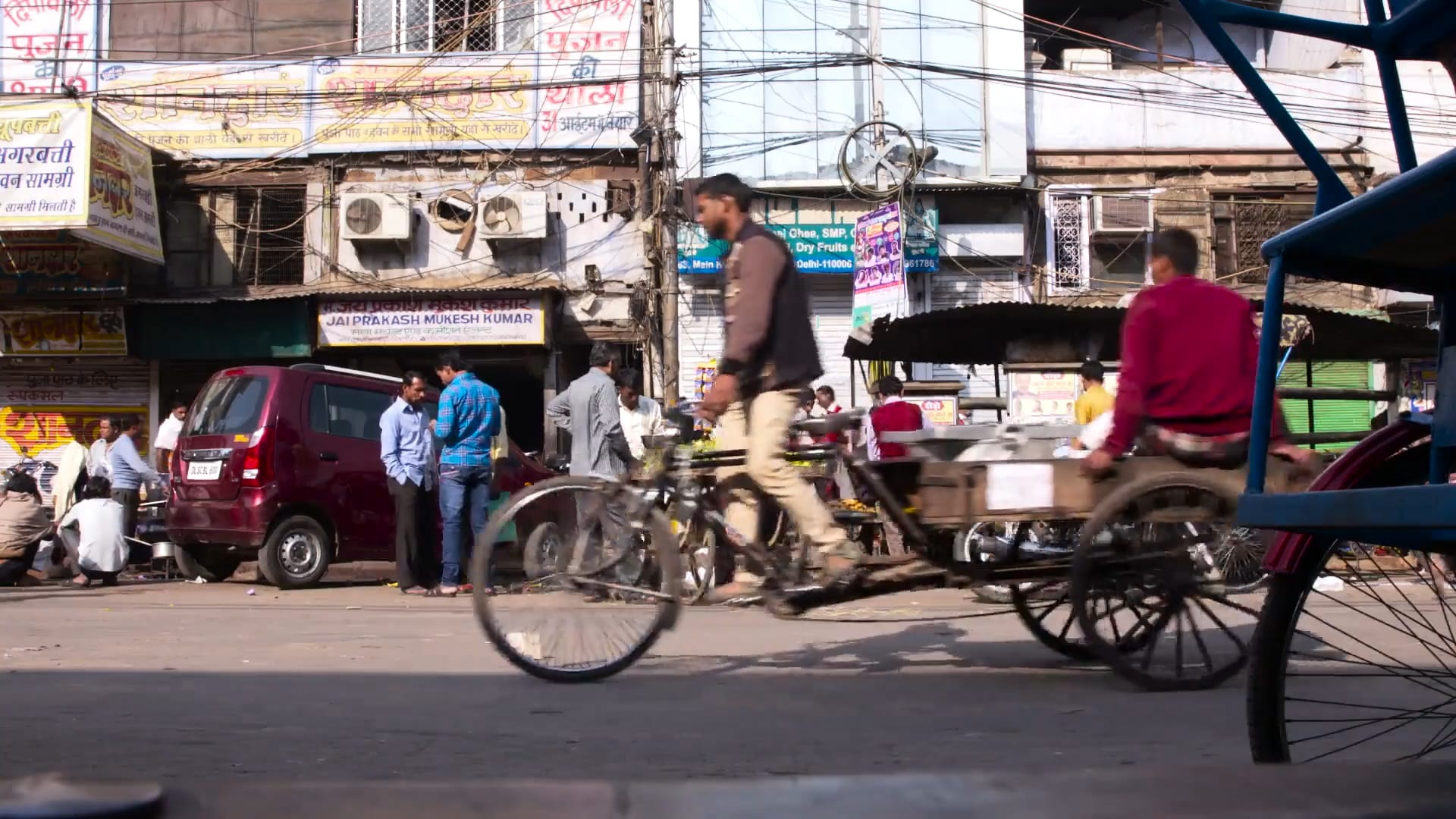"
},
"typeVersion": 1
},
{
"id": "81185ac4-c7fd-4921-937f-109662d5dfa5",
"name": "Generate Narration Script",
"type": "@n8n/n8n-nodes-langchain.chainLlm",
"position": [
1960,
500
],
"parameters": {
"text": "=These are frames of a video. Create a short voiceover script in the style of David Attenborough. Only include the narration.\n{{\n$('Generate Narration Script').isExecuted\n ? `Continue from this script:\\n${$('Generate Narration Script').all().map(item => item.json.text.replace(/\\n/g,'')).join('\\n')}`\n : ''\n}}",
"messages": {
"messageValues": [
{
"type": "HumanMessagePromptTemplate",
"messageType": "imageBinary"
},
{
"type": "HumanMessagePromptTemplate",
"messageType": "imageBinary",
"binaryImageDataKey": "data_1"
},
{
"type": "HumanMessagePromptTemplate",
"messageType": "imageBinary",
"binaryImageDataKey": "data_2"
},
{
"type": "HumanMessagePromptTemplate",
"messageType": "imageBinary",
"binaryImageDataKey": "data_3"
},
{
"type": "HumanMessagePromptTemplate",
"messageType": "imageBinary",
"binaryImageDataKey": "data_4"
},
{
"type": "HumanMessagePromptTemplate",
"messageType": "imageBinary",
"binaryImageDataKey": "data_5"
},
{
"type": "HumanMessagePromptTemplate",
"messageType": "imageBinary",
"binaryImageDataKey": "data_6"
},
{
"type": "HumanMessagePromptTemplate",
"messageType": "imageBinary",
"binaryImageDataKey": "data_7"
},
{
"type": "HumanMessagePromptTemplate",
"messageType": "imageBinary",
"binaryImageDataKey": "data_8"
},
{
"type": "HumanMessagePromptTemplate",
"messageType": "imageBinary",
"binaryImageDataKey": "data_9"
},
{
"type": "HumanMessagePromptTemplate",
"messageType": "imageBinary",
"binaryImageDataKey": "data_10"
},
{
"type": "HumanMessagePromptTemplate",
"messageType": "imageBinary",
"binaryImageDataKey": "data_11"
},
{
"type": "HumanMessagePromptTemplate",
"messageType": "imageBinary",
"binaryImageDataKey": "data_12"
},
{
"type": "HumanMessagePromptTemplate",
"messageType": "imageBinary",
"binaryImageDataKey": "data_13"
},
{
"type": "HumanMessagePromptTemplate",
"messageType": "imageBinary",
"binaryImageDataKey": "data_14"
}
]
},
"promptType": "define"
},
"typeVersion": 1.4
}
],
"pinData": {},
"connections": {
"Resize Frame": {
"main": [
[
{
"node": "Aggregate Frames",
"type": "main",
"index": 0
}
]
]
},
"Capture Frames": {
"main": [
[
{
"node": "Split Out Frames",
"type": "main",
"index": 0
}
]
]
},
"Combine Script": {
"main": [
[
{
"node": "Use Text-to-Speech",
"type": "main",
"index": 0
}
]
]
},
"Download Video": {
"main": [
[
{
"node": "Capture Frames",
"type": "main",
"index": 0
}
]
]
},
"Aggregate Frames": {
"main": [
[
{
"node": "Generate Narration Script",
"type": "main",
"index": 0
}
]
]
},
"Split Out Frames": {
"main": [
[
{
"node": "For Every 15 Frames",
"type": "main",
"index": 0
}
]
]
},
"Convert to Binary": {
"main": [
[
{
"node": "Resize Frame",
"type": "main",
"index": 0
}
]
]
},
"OpenAI Chat Model": {
"ai_languageModel": [
[
{
"node": "Generate Narration Script",
"type": "ai_languageModel",
"index": 0
}
]
]
},
"Use Text-to-Speech": {
"main": [
[
{
"node": "Upload to GDrive",
"type": "main",
"index": 0
}
]
]
},
"For Every 15 Frames": {
"main": [
[
{
"node": "Combine Script",
"type": "main",
"index": 0
}
],
[
{
"node": "Convert to Binary",
"type": "main",
"index": 0
}
]
]
},
"Generate Narration Script": {
"main": [
[
{
"node": "Stay Within Service Limits",
"type": "main",
"index": 0
}
]
]
},
"Stay Within Service Limits": {
"main": [
[
{
"node": "For Every 15 Frames",
"type": "main",
"index": 0
}
]
]
},
"When clicking ‘Test workflow’": {
"main": [
[
{
"node": "Download Video",
"type": "main",
"index": 0
}
]
]
}
}
}Workflow n8n vidéo, narration, Google Drive : pour qui est ce workflow ?
Ce workflow s'adresse aux équipes marketing, aux créateurs de contenu et aux entreprises souhaitant automatiser la production de vidéos avec narration. Il est idéal pour les professionnels ayant des compétences techniques de base et cherchant à optimiser leur processus de création.
Workflow n8n vidéo, narration, Google Drive : problème résolu
Ce workflow résout le problème de la lenteur et de la complexité de la production de narrations audio pour les vidéos. En automatisant la génération de scripts et leur conversion en audio, il élimine les frustrations liées à la création manuelle, réduit les erreurs et permet aux utilisateurs de se concentrer sur des tâches à plus forte valeur ajoutée. Les résultats concrets incluent une production de contenu plus rapide et de meilleure qualité.
Workflow n8n vidéo, narration, Google Drive : étapes du workflow
Étape 1 : Le workflow est déclenché manuellement.
- Étape 1 : Le nœud 'OpenAI Chat Model' génère un script narratif basé sur le contenu vidéo.
- Étape 2 : Les frames de la vidéo sont capturées avec le nœud 'Capture Frames'.
- Étape 3 : Chaque frame est redimensionnée grâce au nœud 'Resize Frame'.
- Étape 4 : Les frames sont agrégées et converties en fichiers binaires.
- Étape 5 : Le fichier est téléchargé sur Google Drive via le nœud 'Upload to GDrive'.
- Étape 6 : Le texte généré est converti en audio avec le nœud 'Use Text-to-Speech'.
Workflow n8n vidéo, narration, Google Drive : guide de personnalisation
Pour personnaliser ce workflow, vous pouvez modifier les paramètres du nœud 'OpenAI Chat Model' pour adapter le style de narration. Il est également possible de changer les dimensions dans le nœud 'Resize Frame' pour répondre aux exigences de votre plateforme de diffusion. Pour intégrer d'autres outils, vous pouvez ajouter des nœuds supplémentaires après le téléchargement sur Google Drive, comme des notifications par email ou des partages sur les réseaux sociaux. Assurez-vous de sécuriser les accès à votre Google Drive en configurant les autorisations d'accès appropriées.