Automatisation Telegram avec n8n : gestion des livraisons en temps réel
- Ce workflow n8n a pour objectif d'automatiser la gestion des livraisons via Telegram, permettant ainsi aux équipes de distribution de suivre les informations en temps réel. Dans un contexte où la rapidité et la précision des livraisons sont essentielles, ce système facilite la communication entre les livreurs et le personnel de gestion. Les cas d'usage incluent la collecte de coordonnées GPS, l'envoi de messages de bienvenue aux utilisateurs, et la confirmation des livraisons.
- Le workflow débute avec un déclencheur Telegram qui active le processus lorsqu'un message est reçu. Ensuite, il utilise des nœuds de vérification d'état pour déterminer la suite des actions à entreprendre. Par exemple, les nœuds 'Store GPS Location' et 'Store Shipment' permettent de stocker les informations essentielles sur la localisation et le numéro de suivi. Les messages sont ensuite envoyés via Telegram pour informer les utilisateurs des mises à jour. En intégrant des nœuds de code personnalisés, le workflow peut gérer des conditions spécifiques et exécuter des scripts pour traiter les données.
- Les bénéfices business incluent une réduction significative des erreurs de communication, une amélioration de la satisfaction client grâce à des mises à jour en temps réel, et une optimisation des opérations logistiques. En adoptant cette automatisation n8n, les entreprises peuvent gagner en efficacité et en réactivité, tout en minimisant les risques d'erreurs humaines.
Workflow n8n Telegram, logistique, communication : vue d'ensemble
Schéma des nœuds et connexions de ce workflow n8n, généré à partir du JSON n8n.
Workflow n8n Telegram, logistique, communication : détail des nœuds
Inscris-toi pour voir l'intégralité du workflow
Inscription gratuite
S'inscrire gratuitementBesoin d'aide ?{
"meta": {
"instanceId": "6a5e68bcca67c4cdb3e0b698d01739aea084e1ec06e551db64aeff43d174cb23",
"templateCredsSetupCompleted": true
},
"nodes": [
{
"id": "bc49829b-45f2-4910-9c37-907271982f14",
"name": "Sticky Note3",
"type": "n8n-nodes-base.stickyNote",
"position": [
-3200,
660
],
"parameters": {
"width": 780,
"height": 540,
"content": "### 5. Do you need more details?\nFind a step-by-step guide in this tutorial\n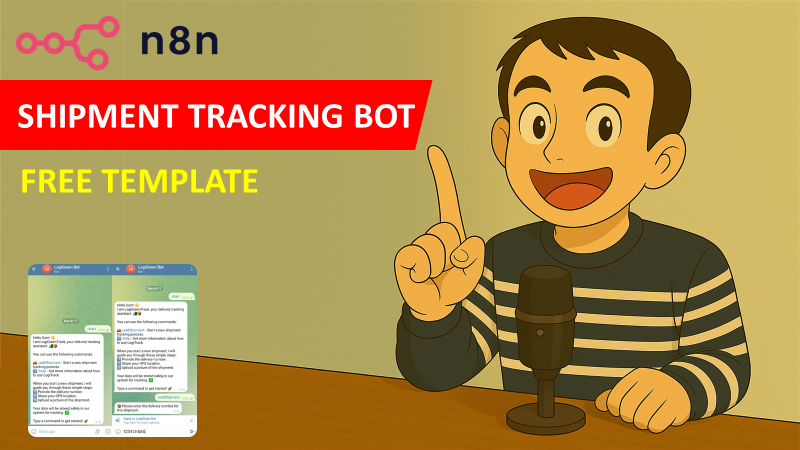\n[🎥 Watch My Tutorial](https://youtu.be/9NS4RYaOwJ8)"
},
"typeVersion": 1
},
{
"id": "91269b35-1dbc-46bd-b8b4-85227d324e6d",
"name": "Telegram Trigger",
"type": "n8n-nodes-base.telegramTrigger",
"position": [
-3020,
220
],
"webhookId": "97a26e94-6de8-4d44-9cda-631ad869119d",
"parameters": {
"updates": [
"message"
],
"additionalFields": {}
},
"notesInFlow": true,
"typeVersion": 1
},
{
"id": "5752611d-97b5-4d5b-b40d-a0ae05d7bd71",
"name": "Check State",
"type": "n8n-nodes-base.switch",
"position": [
-2600,
1480
],
"parameters": {
"rules": {
"values": [
{
"outputKey": "1",
"conditions": {
"options": {
"version": 2,
"leftValue": "",
"caseSensitive": true,
"typeValidation": "strict"
},
"combinator": "and",
"conditions": [
{
"id": "f5b2d141-7bd2-4656-b9c7-d2b562b2406e",
"operator": {
"type": "string",
"operation": "equals"
},
"leftValue": "={{ $json.state }}",
"rightValue": "waitingShipmentNumber"
}
]
},
"renameOutput": true
},
{
"outputKey": "2",
"conditions": {
"options": {
"version": 2,
"leftValue": "",
"caseSensitive": true,
"typeValidation": "strict"
},
"combinator": "and",
"conditions": [
{
"id": "1a145782-de66-496c-aa5e-5fa5b93614f9",
"operator": {
"name": "filter.operator.equals",
"type": "string",
"operation": "equals"
},
"leftValue": "={{ $json.state }}",
"rightValue": "waitingGPS"
}
]
},
"renameOutput": true
},
{
"outputKey": "3",
"conditions": {
"options": {
"version": 2,
"leftValue": "",
"caseSensitive": true,
"typeValidation": "strict"
},
"combinator": "and",
"conditions": [
{
"id": "22f4f461-5973-4cba-9341-e077dd7b3fa1",
"operator": {
"name": "filter.operator.equals",
"type": "string",
"operation": "equals"
},
"leftValue": "={{ $json.state }}",
"rightValue": "waitingPhoto"
}
]
},
"renameOutput": true
}
]
},
"options": {
"fallbackOutput": "extra"
}
},
"notesInFlow": true,
"typeVersion": 3.2
},
{
"id": "7fa4e34e-562e-43de-b61e-d5827fcc51fb",
"name": "Clear State",
"type": "n8n-nodes-base.code",
"position": [
-1620,
620
],
"parameters": {
"jsCode": "let workflowStaticData = $getWorkflowStaticData('global');\nif (workflowStaticData.telegramStates) {\n delete workflowStaticData.telegramStates[$('Telegram Trigger').first().json.message.chat.id.toString()];\n}\n\nreturn $input.all();"
},
"typeVersion": 2
},
{
"id": "46db0fda-bf2e-4c26-b1dc-305a4bb23ecc",
"name": "Sticky Note5",
"type": "n8n-nodes-base.stickyNote",
"position": [
-2360,
980
],
"parameters": {
"color": 7,
"width": 1013,
"height": 1189,
"content": "\n### 3. Driver's Input Collection Block\nBased on the state flag value, the workflow process the input expected from the driver.\n\nThe **waiting conditions** code node is filtering the request based on the workplace state variable value\n- **If the value is waitingXXX**: the output from the driver is processed, a value is recorded in a code node and a confirmation message is sent to the driver (including the next command to follow)\n- **If the value does not start with waiting**: a message with instructions is sent to the driver\n\n#### How to setup?\n- **Telegram Message Nodes:** set up your telegram bot credentials\n[Learn more about the Telegram Message Node](https://docs.n8n.io/integrations/builtin/app-nodes/n8n-nodes-base.telegram/)\n- **Google Drive Nodes**:\n 1. Add your Google Drive API credentials to access your drive\n 2. Select the folder using the list, an URL or an ID\n 3. Select the sheet in which the vocabulary list is stored\n [Learn more about the Google Drive Node](https://docs.n8n.io/integrations/builtin/app-nodes/n8n-nodes-base.googledrive/?utm_source=n8n_app&utm_medium=node_settings_modal-credential_link&utm_campaign=n8n-nodes-base.googleDrive)"
},
"typeVersion": 1
},
{
"id": "27cd5591-e014-4b35-9462-a297c12f9957",
"name": "Sticky Note6",
"type": "n8n-nodes-base.stickyNote",
"position": [
-2360,
-300
],
"parameters": {
"color": 7,
"width": 993,
"height": 1149,
"content": "### 2. Driver's Input Command Block\nThe switch command tunnels the flow based on the command:\n 1. The code nodes named waitingXXX are storing a state flag to wait for the user input\n 2. Telegram Message Nodes are asking users for the expected input\n\nIf the command is **/sendConfirmation**:\n- A proof of delivery is sent to the logistics team by the Gmail Node\n- Shipment information are recorded in the Google Sheet\n- A confirmation is sent to the driver by the Telegram Node\n\n#### How to setup?\n- **Telegram Message Nodes:** set up your telegram bot credentials\n[Learn more about the Telegram Message Node](https://docs.n8n.io/integrations/builtin/app-nodes/n8n-nodes-base.telegram/)\n- **Send Email with Gmail Node**: set up the node to send the confirmation to the delivery team\n[Learn more about the Gmail Email Node](https://docs.n8n.io/integrations/builtin/app-nodes/n8n-nodes-base.gmail)\n 1. Add the email of the recipient **To**\n 2. Add your Gmail API credentials\n 3. Change the **Send Name**\n\n"
},
"typeVersion": 1
},
{
"id": "95db3b8c-6ca8-4a47-8c2b-8dd8e29a1ac6",
"name": "addGPS",
"type": "n8n-nodes-base.telegram",
"position": [
-2060,
280
],
"webhookId": "f50b0e4e-8a6b-4af8-bdb3-becec1f6ccaf",
"parameters": {
"text": "=📍 Please share your GPS location by clicking the 📎 attachment button.",
"chatId": "={{ $json.message.chat.id }}",
"forceReply": {
"force_reply": true
},
"replyMarkup": "forceReply",
"additionalFields": {
"appendAttribution": false
}
},
"notesInFlow": true,
"typeVersion": 1.2
},
{
"id": "8594469e-2456-45f3-be5c-db8d56fc1f58",
"name": "Welcome Message",
"type": "n8n-nodes-base.telegram",
"position": [
-2320,
700
],
"webhookId": "5c54b2fa-f6ef-44ea-90db-af1822586d0f",
"parameters": {
"text": "=Hello {{ $json.message.chat.first_name }}! 👋 \nI am **LogiGreenTrack**, your delivery tracking assistant. 🚛📦 \n\nYou can use the following commands: \n\n🚚 /addShipment - Start a new shipment tracking process.\nℹ️ /help - Get more information about how to use LogiTrack.\n\nWhen you start a new shipment, I will guide you through these simple steps: \n1️⃣ Provide the **delivery number**. \n2️⃣ Share your **GPS location**. \n3️⃣ Upload a **picture** of the shipment. \n\nYour data will be stored safely in our system for tracking. ✅ \n\nType a command to get started! 🚀",
"chatId": "={{ $json.message.chat.id }}",
"additionalFields": {
"appendAttribution": false
}
},
"notesInFlow": true,
"typeVersion": 1.2
},
{
"id": "1e18abec-0328-4556-b947-c91afc2a1425",
"name": "Command?",
"type": "n8n-nodes-base.if",
"position": [
-2820,
220
],
"parameters": {
"options": {},
"conditions": {
"options": {
"version": 2,
"leftValue": "",
"caseSensitive": true,
"typeValidation": "strict"
},
"combinator": "and",
"conditions": [
{
"id": "70ac1322-2ef4-46b4-9090-7c3c93bf546f",
"operator": {
"type": "object",
"operation": "exists",
"singleValue": true
},
"leftValue": "={{ $json.message.entities[0] }}",
"rightValue": "/start"
}
]
}
},
"typeVersion": 2.2
},
{
"id": "8b7c62eb-cee6-46fb-8591-f2b8c66fe360",
"name": "Store GPS Location",
"type": "n8n-nodes-base.set",
"position": [
-2320,
1660
],
"parameters": {
"options": {},
"assignments": {
"assignments": [
{
"id": "03403259-8673-4a0b-b238-da2d4f311e59",
"name": "latitude",
"type": "string",
"value": "={{ $('Telegram Trigger').item.json.message.location.latitude }}"
},
{
"id": "762d4db4-f4d0-414e-9937-d4e7ea36fab7",
"name": "longitude",
"type": "string",
"value": "={{ $('Telegram Trigger').item.json.message.location.longitude }}"
}
]
}
},
"typeVersion": 3.4
},
{
"id": "994e6cda-3ae4-4190-9b28-4fdc48b64330",
"name": "addGPS result",
"type": "n8n-nodes-base.telegram",
"position": [
-1980,
1660
],
"webhookId": "2a31bd25-91a1-449f-b018-b88eabaa4daf",
"parameters": {
"text": "=Record GPS Coordinates: [{\"latitude\": {{ $json.latitude }}, \"longitude\": {{ $json.longitude }}}]. \nPlease continue with 📸 /sendPhoto to upload a picture of the shipment.",
"chatId": "={{ $('Telegram Trigger').first().json.message.chat.id }}",
"additionalFields": {
"appendAttribution": false
}
},
"notesInFlow": true,
"typeVersion": 1
},
{
"id": "fd8c2f32-205d-4f41-a5cf-fa7fb6cc6257",
"name": "addShipmentNumber",
"type": "n8n-nodes-base.telegram",
"position": [
-2060,
140
],
"webhookId": "fb230af6-f0e6-4e0b-bcf6-72a0b82e4322",
"parameters": {
"text": "📦 Please enter the delivery number for this shipment.",
"chatId": "={{ $('Telegram Trigger').item.json.message.chat.id }}",
"forceReply": {
"force_reply": true
},
"replyMarkup": "forceReply",
"additionalFields": {
"appendAttribution": false
}
},
"notesInFlow": true,
"typeVersion": 1.2
},
{
"id": "849b1cd3-2115-4f52-9705-dcf4c3ad0492",
"name": "Shipment Number",
"type": "n8n-nodes-base.set",
"position": [
-2340,
1460
],
"parameters": {
"options": {},
"assignments": {
"assignments": [
{
"id": "aa417d79-9da9-48e1-ab32-df034db44a1c",
"name": "shipmentNumber",
"type": "string",
"value": "={{ $('Command?').item.json.message.text }}"
}
]
}
},
"notesInFlow": true,
"typeVersion": 3.4
},
{
"id": "ef960bb8-e6d8-47f6-9b20-7bcaed46dc13",
"name": "addShipmentNumber result",
"type": "n8n-nodes-base.telegram",
"position": [
-1980,
1460
],
"webhookId": "2f97d0e7-315e-4a65-ba9a-171f35d51e27",
"parameters": {
"text": "=Recorded Shipment Number: {{ $json.shipmentNumber }}. \nNext step:📍 /addGPS - Add your GPS location",
"chatId": "={{ $('Telegram Trigger').first().json.message.chat.id }}",
"additionalFields": {
"appendAttribution": false
}
},
"notesInFlow": true,
"typeVersion": 1
},
{
"id": "a6d95daf-a1e7-48e5-905c-5fe0c40cacc6",
"name": "Store Shipment",
"type": "n8n-nodes-base.code",
"position": [
-2160,
1360
],
"parameters": {
"jsCode": "let workflowData = $getWorkflowStaticData('global');\nworkflowData.shipmentNumber = $input.first().json.shipmentNumber;\nreturn $json;"
},
"typeVersion": 2
},
{
"id": "8da873e9-08e2-4d6c-a0ae-a7cdbd657dbc",
"name": "Store GPS",
"type": "n8n-nodes-base.code",
"position": [
-2160,
1560
],
"parameters": {
"jsCode": "let workflowData = $getWorkflowStaticData('global');\nworkflowData.gpsLatitude = $input.first().json.latitude\nworkflowData.gpsLongitude = $input.first().json.longitude\nreturn $json;"
},
"typeVersion": 2
},
{
"id": "f3e06841-9870-4179-a65b-22d3d94348fe",
"name": "Load Workspace Data",
"type": "n8n-nodes-base.code",
"position": [
-2320,
560
],
"parameters": {
"jsCode": "let workflowData = $getWorkflowStaticData('global');\n\nreturn [\n {\n json: {\n shipmentNumber: workflowData.shipmentNumber || \"Not available\",\n gpsLatitude: workflowData.gpsLatitude || \"Not available\",\n gpsLongitude: workflowData.gpsLongitude || \"Not available\",\n publicImageLink: workflowData.publicImageLink || \"Not available\",\n deliveryTime: workflowData.deliveryTime || \"Not available\",\n fileName: workflowData.fileName || \"Not available\"\n }\n }\n];"
},
"typeVersion": 2
},
{
"id": "d439fa72-1f6e-40c6-86cb-d083954d8c59",
"name": "waitingShipmentNumber",
"type": "n8n-nodes-base.code",
"position": [
-2320,
140
],
"parameters": {
"jsCode": "let workflowStaticData = $getWorkflowStaticData('global');\nif (!workflowStaticData.telegramStates) {\n workflowStaticData.telegramStates = {};\n}\nworkflowStaticData.telegramStates[$json.message.chat.id.toString()] = { waitingShipmentNumber: true };\nreturn $input.all();"
},
"typeVersion": 2
},
{
"id": "378c50b5-eff8-4cb3-89d8-3ed823bf3b52",
"name": "waitingGPS",
"type": "n8n-nodes-base.code",
"position": [
-2320,
280
],
"parameters": {
"jsCode": "let workflowStaticData = $getWorkflowStaticData('global');\nif (!workflowStaticData.telegramStates) {\n workflowStaticData.telegramStates = {};\n}\nworkflowStaticData.telegramStates[$json.message.chat.id.toString()] = { waitingGPS: true };\nreturn $input.all();"
},
"typeVersion": 2
},
{
"id": "8e3b46c6-6cb6-4d0d-b118-d777c2a8a728",
"name": "Instructions",
"type": "n8n-nodes-base.telegram",
"position": [
-2320,
2000
],
"webhookId": "53fbb69e-8271-4e59-bcbc-deccb79c47a8",
"parameters": {
"text": "=Hello {{ $json.message.chat.first_name }}! 👋 \nI am **LogiGreenTrack**, your delivery tracking assistant. 🚛📦 \n\nYou can use the following commands: \n\n🚚 /addShipment - Start a new shipment tracking process.\nℹ️ /help - Get more information about how to use LogiTrack.\n\nWhen you start a new shipment, I will guide you through these simple steps: \n1️⃣ Provide the **delivery number**. \n2️⃣ Share your **GPS location**. \n3️⃣ Upload a **picture** of the shipment. \n\nYour data will be stored safely in our system for tracking. ✅ \n\nType a command to get started! 🚀",
"chatId": "={{ $('Telegram Trigger').first().json.message.chat.id }}",
"additionalFields": {
"appendAttribution": false
}
},
"notesInFlow": true,
"typeVersion": 1
},
{
"id": "7e448986-d88e-413e-a174-6ef477f0de39",
"name": "waitingPhoto",
"type": "n8n-nodes-base.code",
"position": [
-2320,
420
],
"parameters": {
"jsCode": "let workflowStaticData = $getWorkflowStaticData('global');\nif (!workflowStaticData.telegramStates) {\n workflowStaticData.telegramStates = {};\n}\nworkflowStaticData.telegramStates[$json.message.chat.id.toString()] = { waitingPhoto: true };\nreturn $input.all();"
},
"typeVersion": 2
},
{
"id": "112db445-fa9b-41ca-ae58-3cff7abc92d5",
"name": "Waiting Conditions",
"type": "n8n-nodes-base.code",
"position": [
-2800,
1500
],
"parameters": {
"jsCode": "let globalData = $getWorkflowStaticData('global');\nlet state = \"none\"; // Default state\n\nif (globalData && globalData.telegramStates) {\n let chatData = globalData.telegramStates[$json.message.chat.id.toString()];\n if (chatData) {\n if (chatData.waitingShipmentNumber === true) {\n state = \"waitingShipmentNumber\";\n } else if (chatData.waitingGPS === true) {\n state = \"waitingGPS\";\n } else if (chatData.waitingPhoto === true) {\n state = \"waitingPhoto\";\n }\n }\n}\nreturn { state };"
},
"typeVersion": 2
},
{
"id": "0176a1ee-414a-4df4-8859-3a3175549107",
"name": "addPhoto result",
"type": "n8n-nodes-base.telegram",
"position": [
-1600,
1840
],
"webhookId": "4f77a501-82b8-4046-8ac4-027c0874a7ae",
"parameters": {
"text": "=Photo saved in a file named using shipment number. \nPlease continue with 📩 /sendConfirmation to send a proof of delivery via email to the logistics team.\n",
"chatId": "={{ $('Telegram Trigger').first().json.message.chat.id }}",
"additionalFields": {
"parse_mode": "HTML",
"appendAttribution": false
}
},
"notesInFlow": true,
"typeVersion": 1
},
{
"id": "7e1d37bc-a3ba-45fb-a8d1-59090f786036",
"name": "sendPhoto",
"type": "n8n-nodes-base.telegram",
"position": [
-2060,
420
],
"webhookId": "aef2449a-c6bf-4956-a986-dce76deae089",
"parameters": {
"text": "=Please take a **photo of the shipment** and upload it here by clicking the 📎 attachment button.",
"chatId": "={{ $json.message.chat.id }}",
"forceReply": {
"force_reply": true
},
"replyMarkup": "forceReply",
"additionalFields": {
"appendAttribution": false
}
},
"notesInFlow": true,
"typeVersion": 1.2
},
{
"id": "5dfae752-581a-4835-9815-521f371539a4",
"name": "Upload Picture",
"type": "n8n-nodes-base.googleDrive",
"position": [
-2140,
1840
],
"parameters": {
"name": "=",
"driveId": {
"__rl": true,
"mode": "list",
"value": "My Drive",
"cachedResultUrl": "https://drive.google.com/drive/my-drive",
"cachedResultName": "My Drive"
},
"options": {},
"folderId": {
"__rl": true,
"mode": "url",
"value": "https://drive.google.com/drive/folders/<FILE_ID>"
}
},
"typeVersion": 3
},
{
"id": "887f2571-c80d-43ba-b838-32fea8f3315f",
"name": "Save Public Image Link",
"type": "n8n-nodes-base.code",
"position": [
-1780,
1840
],
"parameters": {
"jsCode": "let workflowData = $getWorkflowStaticData('global');\n\n// Extract the file link from Google Drive node\nlet fileLink = $('Upload Picture').first().json.webContentLink || \"No link available\";\nlet fileId = $('Upload Picture').first().json.id || \"No ID available\";\n// Public Link\nlet publicImageLink = `https://drive.google.com/uc?export=view&id=${fileId}`;\nlet deliveryTime = $now\n\n// Store the link in static data\nworkflowData.fileLink = fileLink;\nworkflowData.publicImageLink = publicImageLink;\nworkflowData.deliveryTime = deliveryTime\nreturn {\n fileLink: fileLink,\n publicImageLink: publicImageLink,\n deliveryTime: deliveryTime\n};"
},
"typeVersion": 2
},
{
"id": "5b147f24-f2ed-45ad-a147-2490938232aa",
"name": "Confirmation Driver",
"type": "n8n-nodes-base.telegram",
"position": [
-2060,
700
],
"webhookId": "012fbfba-9133-4446-b4cd-bbce5b7064f5",
"parameters": {
"text": "=<b>📦 Shipment Details</b>\n\n<b>Shipment Number:</b> {{ $json.shipmentNumber }}\n\n<b>📍 Location:</b> \nLat: <code>{{ $json.gpsLatitude }}</code> \nLong: <code>{{ $json.gpsLongitude }}</code> \n\n🖼️ <b>Shipment Photo:</b> \n<a href=\"{{ $json.fileLink }}\">📷 View Image</a>",
"chatId": "={{ $('Telegram Trigger').item.json.message.chat.id }}",
"additionalFields": {
"parse_mode": "HTML",
"appendAttribution": false
}
},
"notesInFlow": true,
"typeVersion": 1.2
},
{
"id": "d5adfbeb-cbdb-461f-9709-6458a29e8fb8",
"name": "Distribution Team Confirmation",
"type": "n8n-nodes-base.gmail",
"position": [
-1800,
620
],
"webhookId": "85e72ad7-effa-4445-911b-90e5f13efa41",
"parameters": {
"sendTo": "logigreenbot@logistics.com",
"message": "=<h2>📦 Delivery Confirmation</h2>\n\n<p><b>Shipment Number:</b> {{ $json.shipmentNumber }}</p>\n\n<p>📍 <b>Delivery Location:</b><br>\nLat: <code>{{ $json.gpsLatitude }}</code><br>\nLong: <code>{{ $json.gpsLongitude }}</code>\n</p>\n\n<p>⏳ <b>Delivery Time:</b> {{ $json.deliveryTime }}</p>\n\n<p>🖼️ <b>Shipment Photo:</b><br>\n<img src=\"{{ $json.publicImageLink }}\" width=\"400\">\n</p>\n\n<p>✅ This shipment has been successfully delivered by {{ $('Switch Command').item.json.message.chat.first_name }} (Driver ID: {{ $('Switch Command').item.json.message.chat.username }}).</p>\n",
"options": {
"senderName": "LogiGreenTrack Solution",
"appendAttribution": false
},
"subject": "=Delivery Confirmation: {{ $json.shipmentNumber }}"
},
"notesInFlow": true,
"typeVersion": 2.1
},
{
"id": "963417b3-7e35-43dc-b303-c7445333aa5b",
"name": "Extract FileName",
"type": "n8n-nodes-base.set",
"position": [
-2100,
2020
],
"parameters": {
"options": {},
"assignments": {
"assignments": [
{
"id": "ebee599b-f2d8-4b64-b8a5-eac8bdd698bb",
"name": "fileName",
"type": "string",
"value": "={{ $binary.data.fileName }}"
}
]
}
},
"notesInFlow": true,
"typeVersion": 3.4
},
{
"id": "d85cf18b-825e-4ab8-a9b0-fef63cb66ad8",
"name": "Store fileName",
"type": "n8n-nodes-base.code",
"position": [
-1920,
2020
],
"parameters": {
"jsCode": "let workflowData = $getWorkflowStaticData('global');\nworkflowData.fileName = $input.first().json.fileName\nreturn $json;\n"
},
"typeVersion": 2
},
{
"id": "1ef71e46-4e1e-4707-99fc-41daa724a396",
"name": "Get Picture",
"type": "n8n-nodes-base.telegram",
"position": [
-2320,
1840
],
"webhookId": "09e9f612-0040-416a-8cbe-51d041d17436",
"parameters": {
"fileId": "={{ $('Telegram Trigger').item.json.message.photo[3].file_id }}",
"resource": "file"
},
"typeVersion": 1.2
},
{
"id": "9f0159ae-0236-470e-8935-d5991292ad63",
"name": "Share Picture",
"type": "n8n-nodes-base.googleDrive",
"position": [
-1960,
1840
],
"parameters": {
"fileId": {
"__rl": true,
"mode": "id",
"value": "={{ $json.id }}"
},
"options": {},
"operation": "share",
"permissionsUi": {
"permissionsValues": {
"role": "reader",
"type": "anyone",
"allowFileDiscovery": true
}
}
},
"typeVersion": 3
},
{
"id": "66189707-157d-4f0d-b0b9-4b88d1fbc725",
"name": "Initiate Workflow Data",
"type": "n8n-nodes-base.code",
"notes": "You only need to run the initialization step once per workflow, regardless of the number of Telegram chat IDs. The initialization creates the telegramStates object within the global static data of the workflow. Once that object exists, the workflow will use it to store the state for any chat ID.",
"position": [
-3500,
-80
],
"parameters": {
"jsCode": "let workflowStaticData = $getWorkflowStaticData('global');\nif (!workflowStaticData.telegramStates) {\n workflowStaticData.telegramStates = {}; \n}\nreturn workflowStaticData;"
},
"notesInFlow": false,
"typeVersion": 2
},
{
"id": "7db890fb-9fe2-4148-b01a-f01d3c4e5d89",
"name": "Sticky Note",
"type": "n8n-nodes-base.stickyNote",
"position": [
-3560,
-300
],
"parameters": {
"width": 440,
"height": 380,
"content": "### 0. Initiate Workplace Static Data\nRun it **once** before activating the workflow to initialize workspace data that will be used to **store state flags** and **outputs from users**.\n\n#### How to setup?\n- **Code Node:** do not change anything, just run it\n [Learn more about the code node](https://docs.n8n.io/integrations/builtin/core-nodes/n8n-nodes-base.code)\n"
},
"typeVersion": 1
},
{
"id": "f01fb87a-1a24-4e0c-a769-9b5da7a402d2",
"name": "Switch Command",
"type": "n8n-nodes-base.switch",
"position": [
-2620,
220
],
"parameters": {
"rules": {
"values": [
{
"outputKey": "1",
"conditions": {
"options": {
"version": 2,
"leftValue": "",
"caseSensitive": true,
"typeValidation": "strict"
},
"combinator": "and",
"conditions": [
{
"id": "f2c10700-113d-4062-8c00-af59ccbe3b6f",
"operator": {
"type": "string",
"operation": "equals"
},
"leftValue": "={{ $json.message.text }}",
"rightValue": "/addShipment"
}
]
},
"renameOutput": true
},
{
"outputKey": "2",
"conditions": {
"options": {
"version": 2,
"leftValue": "",
"caseSensitive": true,
"typeValidation": "strict"
},
"combinator": "and",
"conditions": [
{
"id": "d09b6282-e9f8-4e43-b3db-9edae88cd634",
"operator": {
"name": "filter.operator.equals",
"type": "string",
"operation": "equals"
},
"leftValue": "={{ $json.message.text }}",
"rightValue": "/addGPS"
}
]
},
"renameOutput": true
},
{
"outputKey": "3",
"conditions": {
"options": {
"version": 2,
"leftValue": "",
"caseSensitive": true,
"typeValidation": "strict"
},
"combinator": "and",
"conditions": [
{
"id": "2637a054-0892-411c-b659-b878219a26ab",
"operator": {
"name": "filter.operator.equals",
"type": "string",
"operation": "equals"
},
"leftValue": "={{ $json.message.text }}",
"rightValue": "/sendPhoto"
}
]
},
"renameOutput": true
},
{
"outputKey": "4",
"conditions": {
"options": {
"version": 2,
"leftValue": "",
"caseSensitive": true,
"typeValidation": "strict"
},
"combinator": "and",
"conditions": [
{
"id": "5f3223e6-da0a-4056-8843-7778cf9de0a7",
"operator": {
"name": "filter.operator.equals",
"type": "string",
"operation": "equals"
},
"leftValue": "={{ $json.message.text }}",
"rightValue": "/sendConfirmation"
}
]
},
"renameOutput": true
}
]
},
"options": {
"fallbackOutput": "extra"
}
},
"notesInFlow": true,
"typeVersion": 3.2
},
{
"id": "2e121b11-0302-4be5-bc67-629ab6ea50b3",
"name": "Sticky Note1",
"type": "n8n-nodes-base.stickyNote",
"position": [
-3060,
-300
],
"parameters": {
"color": 7,
"width": 620,
"height": 740,
"content": "### 1. Workflow Trigger with Telegram Message\nThe workflow is triggered by a user message. The second is checking if the message is a command (starting with \"/\") to route it to the proper block.\n\n#### How to setup?\n- **Telegram Trigger Node:** set up your telegram bot credentials\n[Learn more about the Telegram Trigger Node](https://docs.n8n.io/integrations/builtin/trigger-nodes/n8n-nodes-base.telegramtrigger/)\n"
},
"typeVersion": 1
},
{
"id": "3898ff6c-b127-4fdf-91b5-dd79c2906f05",
"name": "Load Delivery Information",
"type": "n8n-nodes-base.googleSheets",
"position": [
-2060,
560
],
"parameters": {
"columns": {
"value": {
"recordTime": "={{ $now }}",
"gpsLatitude": "={{ $json.gpsLatitude }}",
"cargoPicture": "={{ $json.publicImageLink }}",
"deliveryTime": "={{ $json.deliveryTime }}",
"gpsLongitude": "={{ $json.gpsLongitude }}",
"shipmentNumber": "={{ $json.shipmentNumber }}"
},
"schema": [
{
"id": "shipmentNumber",
"type": "string",
"display": true,
"required": false,
"displayName": "shipmentNumber",
"defaultMatch": false,
"canBeUsedToMatch": true
},
{
"id": "recordTime",
"type": "string",
"display": true,
"required": false,
"displayName": "recordTime",
"defaultMatch": false,
"canBeUsedToMatch": true
},
{
"id": "gpsLatitude",
"type": "string",
"display": true,
"required": false,
"displayName": "gpsLatitude",
"defaultMatch": false,
"canBeUsedToMatch": true
},
{
"id": "gpsLongitude",
"type": "string",
"display": true,
"required": false,
"displayName": "gpsLongitude",
"defaultMatch": false,
"canBeUsedToMatch": true
},
{
"id": "cargoPicture",
"type": "string",
"display": true,
"required": false,
"displayName": "cargoPicture",
"defaultMatch": false,
"canBeUsedToMatch": true
},
{
"id": "deliveryTime",
"type": "string",
"display": true,
"required": false,
"displayName": "deliveryTime",
"defaultMatch": false,
"canBeUsedToMatch": true
}
],
"mappingMode": "defineBelow",
"matchingColumns": [],
"attemptToConvertTypes": false,
"convertFieldsToString": false
},
"options": {},
"operation": "append",
"sheetName": {
"__rl": true,
"mode": "list",
"value": "gid=0",
"cachedResultUrl": "https://docs.google.com/spreadsheets/d/<FILE_ID>/edit#gid=0",
"cachedResultName": "="
},
"documentId": {
"__rl": true,
"mode": "list",
"value": "=",
"cachedResultUrl": "https://docs.google.com/spreadsheets/d/<FILE_ID>/edit?usp=drivesdk",
"cachedResultName": "="
}
},
"notesInFlow": true,
"typeVersion": 4.5
}
],
"pinData": {},
"connections": {
"Command?": {
"main": [
[
{
"node": "Switch Command",
"type": "main",
"index": 0
}
],
[
{
"node": "Waiting Conditions",
"type": "main",
"index": 0
}
]
]
},
"waitingGPS": {
"main": [
[
{
"node": "addGPS",
"type": "main",
"index": 0
}
]
]
},
"Check State": {
"main": [
[
{
"node": "Shipment Number",
"type": "main",
"index": 0
}
],
[
{
"node": "Store GPS Location",
"type": "main",
"index": 0
}
],
[
{
"node": "Get Picture",
"type": "main",
"index": 0
}
],
[
{
"node": "Instructions",
"type": "main",
"index": 0
}
]
]
},
"Get Picture": {
"main": [
[
{
"node": "Upload Picture",
"type": "main",
"index": 0
},
{
"node": "Extract FileName",
"type": "main",
"index": 0
}
]
]
},
"waitingPhoto": {
"main": [
[
{
"node": "sendPhoto",
"type": "main",
"index": 0
}
]
]
},
"Share Picture": {
"main": [
[
{
"node": "Save Public Image Link",
"type": "main",
"index": 0
}
]
]
},
"Switch Command": {
"main": [
[
{
"node": "waitingShipmentNumber",
"type": "main",
"index": 0
}
],
[
{
"node": "waitingGPS",
"type": "main",
"index": 0
}
],
[
{
"node": "waitingPhoto",
"type": "main",
"index": 0
}
],
[
{
"node": "Load Workspace Data",
"type": "main",
"index": 0
}
],
[
{
"node": "Welcome Message",
"type": "main",
"index": 0
}
]
]
},
"Upload Picture": {
"main": [
[
{
"node": "Share Picture",
"type": "main",
"index": 0
}
]
]
},
"Shipment Number": {
"main": [
[
{
"node": "addShipmentNumber result",
"type": "main",
"index": 0
},
{
"node": "Store Shipment",
"type": "main",
"index": 0
}
]
]
},
"Extract FileName": {
"main": [
[
{
"node": "Store fileName",
"type": "main",
"index": 0
}
]
]
},
"Telegram Trigger": {
"main": [
[
{
"node": "Command?",
"type": "main",
"index": 0
}
]
]
},
"Store GPS Location": {
"main": [
[
{
"node": "addGPS result",
"type": "main",
"index": 0
},
{
"node": "Store GPS",
"type": "main",
"index": 0
}
]
]
},
"Waiting Conditions": {
"main": [
[
{
"node": "Check State",
"type": "main",
"index": 0
}
]
]
},
"Load Workspace Data": {
"main": [
[
{
"node": "Load Delivery Information",
"type": "main",
"index": 0
},
{
"node": "Confirmation Driver",
"type": "main",
"index": 0
},
{
"node": "Distribution Team Confirmation",
"type": "main",
"index": 0
}
]
]
},
"waitingShipmentNumber": {
"main": [
[
{
"node": "addShipmentNumber",
"type": "main",
"index": 0
}
]
]
},
"Save Public Image Link": {
"main": [
[
{
"node": "addPhoto result",
"type": "main",
"index": 0
}
]
]
},
"Distribution Team Confirmation": {
"main": [
[
{
"node": "Clear State",
"type": "main",
"index": 0
}
]
]
}
}
}Workflow n8n Telegram, logistique, communication : pour qui est ce workflow ?
Ce workflow s'adresse principalement aux entreprises de logistique et de livraison, ainsi qu'aux équipes opérationnelles qui souhaitent améliorer leur communication interne. Un niveau technique intermédiaire est recommandé pour la personnalisation des nœuds et l'intégration avec Telegram.
Workflow n8n Telegram, logistique, communication : problème résolu
Ce workflow résout le problème de la communication inefficace entre les livreurs et le personnel de gestion. En automatisant le processus de collecte d'informations et de mise à jour des statuts de livraison, il élimine les frustrations liées aux erreurs de communication et aux retards. Les utilisateurs bénéficient d'une visibilité accrue sur l'état de leurs livraisons, ce qui améliore l'expérience client et réduit les pertes de temps.
Workflow n8n Telegram, logistique, communication : étapes du workflow
Étape 1 : Le workflow est déclenché par un message reçu sur Telegram.
- Étape 1 : Le nœud 'Check State' évalue l'état actuel du processus.
- Étape 2 : Selon les conditions définies, le workflow peut stocker des informations GPS ou des numéros de suivi via les nœuds 'Store GPS Location' et 'Store Shipment'.
- Étape 3 : Des messages de confirmation sont envoyés aux utilisateurs pour les tenir informés.
- Étape 4 : Des nœuds de code personnalisés permettent de gérer des conditions spécifiques et d'exécuter des scripts pour le traitement des données.
- Étape 5 : Enfin, les informations sont partagées avec l'équipe de distribution pour assurer un suivi efficace.
Workflow n8n Telegram, logistique, communication : guide de personnalisation
Pour personnaliser ce workflow, commencez par ajuster les paramètres du nœud 'Telegram Trigger' pour définir le type de messages que vous souhaitez traiter. Modifiez les nœuds de code pour adapter les scripts selon vos besoins spécifiques, par exemple, en changeant les critères de vérification dans le nœud 'Check State'. Vous pouvez également personnaliser les messages envoyés via Telegram en modifiant le contenu des nœuds 'addGPS', 'addShipmentNumber', et 'Confirmation Driver'. Assurez-vous que les identifiants de chat et les autres paramètres sont correctement configurés pour garantir une communication fluide. Enfin, envisagez d'ajouter d'autres intégrations, comme Google Sheets pour le suivi des données, afin d'améliorer encore l'efficacité de votre workflow.