Automatisation Slack avec n8n : gestion de rendez-vous et PDF
Ce workflow n8n a pour objectif d'automatiser la gestion des rendez-vous et le téléchargement de documents PDF via Slack. Dans un contexte professionnel où la gestion du temps et des ressources est cruciale, ce workflow permet aux équipes de gagner en efficacité en automatisant les tâches répétitives. Par exemple, il peut être utilisé par des équipes commerciales pour organiser des rendez-vous avec des clients tout en s'assurant que les documents nécessaires sont disponibles et accessibles. Le workflow commence par un déclencheur de type Webhook, qui permet de recevoir des messages dans Slack. Ensuite, plusieurs nœuds sont utilisés pour traiter les données, comme l'envoi de messages via Slack et la création de notes autocollantes pour garder une trace des informations importantes. Des nœuds comme 'OpenAI Chat Model' et 'Anthropic Chat Model' sont intégrés pour fournir des réponses intelligentes basées sur les données traitées. En outre, le workflow inclut des appels API pour télécharger des fichiers PDF et gérer les disponibilités de calendrier. Les bénéfices de cette automatisation n8n sont multiples : réduction des erreurs humaines, gain de temps considérable et amélioration de la collaboration au sein des équipes. En intégrant des outils d'intelligence artificielle, ce workflow offre une valeur ajoutée significative en optimisant les processus de communication et de gestion des ressources.
Workflow n8n Slack, gestion de rendez-vous, intelligence artificielle : vue d'ensemble
Schéma des nœuds et connexions de ce workflow n8n, généré à partir du JSON n8n.
Workflow n8n Slack, gestion de rendez-vous, intelligence artificielle : détail des nœuds
Inscris-toi pour voir l'intégralité du workflow
Inscription gratuite
S'inscrire gratuitementBesoin d'aide ?{
"meta": {
"instanceId": "84ba6d895254e080ac2b4916d987aa66b000f88d4d919a6b9c76848f9b8a7616",
"templateId": "2358"
},
"nodes": [
{
"id": "fb774d11-da48-4481-ad4e-8c93274f123e",
"name": "Send message",
"type": "n8n-nodes-base.slack",
"position": [
2340,
580
],
"parameters": {
"text": "=Data from webhook: {{ $json.query.email }}",
"select": "channel",
"channelId": {
"__rl": true,
"mode": "list",
"value": "C079GL6K3U6",
"cachedResultName": "general"
},
"otherOptions": {},
"authentication": "oAuth2"
},
"typeVersion": 2.2
},
{
"id": "5a3ad8f1-eba7-4076-80fc-0c1237aab50b",
"name": "Sticky Note2",
"type": "n8n-nodes-base.stickyNote",
"position": [
380,
240
],
"parameters": {
"color": 7,
"width": 1163.3132111854613,
"height": 677.0358687053997,
"content": ""
},
"typeVersion": 1
},
{
"id": "01c59396-0fef-4d1c-aa1f-787669300650",
"name": "Sticky Note",
"type": "n8n-nodes-base.stickyNote",
"position": [
1860,
240
],
"parameters": {
"color": 7,
"width": 437,
"height": 99,
"content": "# What is n8n?\n### Low-code Automation Platform for technical teams"
},
"typeVersion": 1
},
{
"id": "0bdd4a35-7f5c-443c-a14a-4e6f7ed18712",
"name": "Execute JavaScript",
"type": "n8n-nodes-base.code",
"position": [
2340,
380
],
"parameters": {
"jsCode": "// Loop over input items and add a new field called 'myNewField' to the JSON of each one\nfor (const item of $input.all()) {\n item.json.myNewField = 1;\n}\n\nreturn $input.all();"
},
"typeVersion": 2
},
{
"id": "4b1b6cc1-1a9f-4a0c-96d5-fd179c84c79d",
"name": "Sticky Note3",
"type": "n8n-nodes-base.stickyNote",
"position": [
4440,
240
],
"parameters": {
"color": 6,
"width": 318,
"height": 106,
"content": "# Example #2\n### RAG with PDF as source"
},
"typeVersion": 1
},
{
"id": "7e9e7802-5695-4240-83b9-d6f02192ad2b",
"name": "Recursive Character Text Splitter",
"type": "@n8n/n8n-nodes-langchain.textSplitterRecursiveCharacterTextSplitter",
"position": [
5120,
1000
],
"parameters": {
"options": {},
"chunkSize": 3000,
"chunkOverlap": 200
},
"typeVersion": 1
},
{
"id": "63783c21-af6d-4e70-8dec-c861641c53fb",
"name": "Embeddings OpenAI",
"type": "@n8n/n8n-nodes-langchain.embeddingsOpenAi",
"position": [
4880,
820
],
"parameters": {
"options": {}
},
"typeVersion": 1
},
{
"id": "5742ce9c-2f73-4129-85eb-876f562cf6b1",
"name": "Default Data Loader",
"type": "@n8n/n8n-nodes-langchain.documentDefaultDataLoader",
"position": [
5100,
820
],
"parameters": {
"loader": "pdfLoader",
"options": {
"metadata": {
"metadataValues": [
{
"name": "document-title",
"value": "={{ $('PDFs to download').item.json.whitepaper_title }}"
},
{
"name": "document-publish-year",
"value": "={{ $('PDFs to download').item.json.publish_year }}"
},
{
"name": "document-author",
"value": "={{ $('PDFs to download').item.json.author }}"
}
]
}
},
"dataType": "binary"
},
"typeVersion": 1
},
{
"id": "686c63fa-4672-4107-bd58-ffbb0650b44b",
"name": "OpenAI Chat Model",
"type": "@n8n/n8n-nodes-langchain.lmChatOpenAi",
"position": [
5840,
840
],
"parameters": {
"model": "gpt-4o",
"options": {
"temperature": 0.3
}
},
"typeVersion": 1
},
{
"id": "73a7df02-aa2c-4f0f-aa88-38cbbbf3b1cb",
"name": "Embeddings OpenAI2",
"type": "@n8n/n8n-nodes-langchain.embeddingsOpenAi",
"position": [
5980,
1140
],
"parameters": {
"options": {}
},
"typeVersion": 1
},
{
"id": "42737305-fd39-4ec7-b4ba-53f70085dd5f",
"name": "Vector Store Retriever",
"type": "@n8n/n8n-nodes-langchain.retrieverVectorStore",
"position": [
6040,
840
],
"parameters": {},
"typeVersion": 1
},
{
"id": "2c7a3666-e123-439d-8b74-41eb375f066c",
"name": "Download PDF",
"type": "n8n-nodes-base.httpRequest",
"position": [
4700,
600
],
"parameters": {
"url": "={{ $json.file_url }}",
"options": {}
},
"typeVersion": 4.2
},
{
"id": "866eaeb9-6a7c-4209-b485-8ef13ed006b4",
"name": "PDFs to download",
"type": "n8n-nodes-base.noOp",
"notes": "BTC Whitepaper + metadata",
"position": [
4440,
600
],
"parameters": {},
"notesInFlow": true,
"typeVersion": 1
},
{
"id": "e78f2191-096c-4575-9d48-fb891fd18698",
"name": "Sticky Note4",
"type": "n8n-nodes-base.stickyNote",
"position": [
4440,
440
],
"parameters": {
"color": 4,
"width": 414.36616595939887,
"height": 91.0723900084547,
"content": "## A. Load PDF into Pinecone\nDownload the PDF, then text embeddings into Pincecone"
},
"typeVersion": 1
},
{
"id": "7c3ccf27-32b1-4ea7-b2ef-6997793de733",
"name": "Sticky Note5",
"type": "n8n-nodes-base.stickyNote",
"position": [
5600,
460
],
"parameters": {
"color": 4,
"width": 284.62109466374466,
"height": 86.95121951219511,
"content": "## B. Chat with PDF\nUse GPT4o to chat with Pinecone index"
},
"typeVersion": 1
},
{
"id": "6063d009-da6e-4cbf-899f-c86b879931a7",
"name": "Read Pinecone Vector Store",
"type": "@n8n/n8n-nodes-langchain.vectorStorePinecone",
"position": [
5980,
980
],
"parameters": {
"options": {
"pineconeNamespace": "whitepaper"
},
"pineconeIndex": {
"__rl": true,
"mode": "list",
"value": "whitepapers",
"cachedResultName": "whitepapers"
}
},
"typeVersion": 1
},
{
"id": "8aa52156-264d-4911-993c-ac5117a76b21",
"name": "Question and Answer Chain",
"type": "@n8n/n8n-nodes-langchain.chainRetrievalQa",
"position": [
5840,
620
],
"parameters": {
"text": "={{ $json.chatInput }}. \nOnly use vector store knowledge to answer the question. Don't make anything up. If you don't know the answer, tell the user that you don't know.",
"promptType": "define"
},
"typeVersion": 1.3
},
{
"id": "b394ee1d-a2ca-4db0-8caa-981f8f066787",
"name": "Sticky Note6",
"type": "n8n-nodes-base.stickyNote",
"position": [
7380,
240
],
"parameters": {
"color": 6,
"width": 504.25,
"height": 106,
"content": "# Example #3\n### AI Assistant that knows how to use predefined API endpoints "
},
"typeVersion": 1
},
{
"id": "37a8b8f2-c444-4c6e-9b02-b97a5c616e84",
"name": "Sticky Note7",
"type": "n8n-nodes-base.stickyNote",
"position": [
3020,
220
],
"parameters": {
"color": 6,
"width": 318,
"height": 111,
"content": "# Example #1\n### Categorize incoming emails with AI"
},
"typeVersion": 1
},
{
"id": "07123e8e-8760-4c89-acda-aaef6de68be2",
"name": "Anthropic Chat Model",
"type": "@n8n/n8n-nodes-langchain.lmChatAnthropic",
"position": [
7580,
700
],
"parameters": {
"options": {
"temperature": 0.4
}
},
"typeVersion": 1.2
},
{
"id": "e338a175-e823-4cd4-b77d-f5acbfcbdb9d",
"name": "Get calendar availability",
"type": "@n8n/n8n-nodes-langchain.toolHttpRequest",
"position": [
7900,
700
],
"parameters": {
"url": "https://www.googleapis.com/calendar/v3/freeBusy",
"method": "POST",
"jsonBody": "={\n \"timeMin\": \"{timeMin}\",\n \"timeMax\": \"{timeMax}\",\n \"timeZone\": \"Europe/Berlin\",\n \"groupExpansionMax\": 20,\n \"calendarExpansionMax\": 10,\n \"items\": [\n {\n \"id\": \"max@n8n.io\"\n }\n ]\n}",
"sendBody": true,
"specifyBody": "json",
"authentication": "predefinedCredentialType",
"toolDescription": "Call this tool to get the appointment availability for a particular period on the calendar. The tool may refer to availability as \"Free\" or \"Busy\". \n\nUse {timeMin} and {timeMax} to specify the window for the availability query. For example, to get availability for 25 July, 2024 the {timeMin} would be 2024-07-25T09:00:00+02:00 and {timeMax} would be 2024-07-25T17:00:00+02:00.\n\nIf the tool returns an empty response, it means that something went wrong. It does not mean that there is no availability.",
"nodeCredentialType": "googleCalendarOAuth2Api"
},
"typeVersion": 1
},
{
"id": "ae05933c-dfa9-4272-b610-8b5fc94d76fe",
"name": "Appointment booking agent",
"type": "@n8n/n8n-nodes-langchain.agent",
"position": [
7680,
480
],
"parameters": {
"options": {
"systemMessage": "=You are an efficient and courteous assistant tasked with scheduling appointments with Max Tkacz.\n\nWhen users mention an appointment or meeting, they are referring to a meeting with Max.\nWhen users refer to the calendar or \"your schedule,\" they are referring to Max's calendar. \n\nYou can use various tools to access and manage Max's calendar. Your primary goal is to assist users in successfully booking an appointment with Max, ensuring no scheduling conflicts. Only book an appointment if the requested time slot is available (the tool may refer to this as \"Free\")\n\nToday's date is {{ $today.format('dd LLL yyyy') }}.\nAppointments are always 30 minutes in length. \n\n\nProvide accurate information at all times. If the tools are not functioning correctly, inform the user that you are unable to assist them at the moment.\n"
}
},
"typeVersion": 1.6
},
{
"id": "7e3b1797-150e-4c7c-93a5-306b981e0b6c",
"name": "Sticky Note1",
"type": "n8n-nodes-base.stickyNote",
"position": [
8300,
440
],
"parameters": {
"color": 7,
"width": 327.46658341463433,
"height": 571.8601927804875,
"content": "\n[Open Calendar](https://calendar.google.com/calendar/u/0/r/day/2024/7/26)"
},
"typeVersion": 1
},
{
"id": "afe8d14d-d0d0-4a11-bb4f-57358de66bc1",
"name": "Window Buffer Memory",
"type": "@n8n/n8n-nodes-langchain.memoryBufferWindow",
"position": [
7720,
700
],
"parameters": {
"contextWindowLength": 10
},
"typeVersion": 1.2
},
{
"id": "53d131ea-3235-4e4e-828b-dc22c9021e50",
"name": "Sticky Note8",
"type": "n8n-nodes-base.stickyNote",
"position": [
6380,
640
],
"parameters": {
"color": 7,
"width": 615.2162978341456,
"height": 403.1877919219511,
"content": "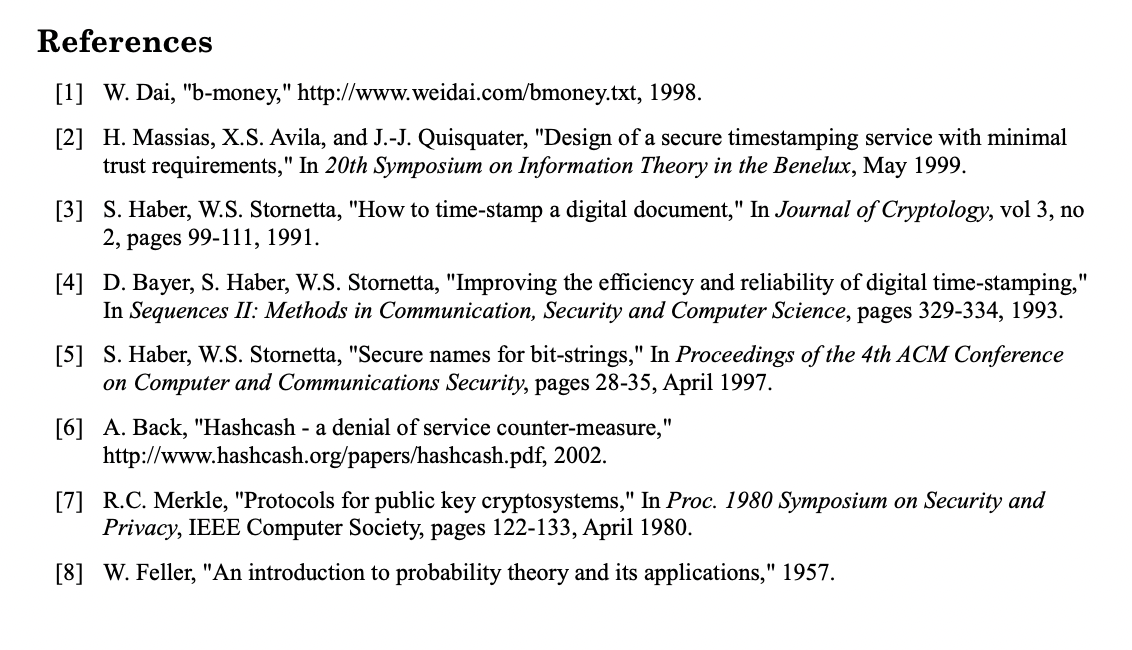\nBTC Whitepaper references"
},
"typeVersion": 1
},
{
"id": "55a0f180-bb35-4b35-b72c-b9361698e5ad",
"name": "Sticky Note9",
"type": "n8n-nodes-base.stickyNote",
"position": [
9660,
240
],
"parameters": {
"color": 7,
"width": 345.33741540309194,
"height": 398.9629539487597,
"content": "### Connect with me or explore this demo 👇\n"
},
"typeVersion": 1
},
{
"id": "14b3231d-aa96-4783-be8f-cb2f70b0bc7f",
"name": "Sticky Note10",
"type": "n8n-nodes-base.stickyNote",
"position": [
9220,
240
],
"parameters": {
"color": 7,
"width": 411.2946586626259,
"height": 197.19036476628202,
"content": "# Thank you and happy flowgramming 🤘\n\n### Max Tkacz | Senior Developer Advocate @ n8n"
},
"typeVersion": 1
},
{
"id": "c9a2fcdc-c8ab-4b9d-9979-4fd7cca1e8a8",
"name": "Insert into Pinecone vector store",
"type": "@n8n/n8n-nodes-langchain.vectorStorePinecone",
"position": [
4920,
600
],
"parameters": {
"mode": "insert",
"options": {
"clearNamespace": true,
"pineconeNamespace": "whitepaper"
},
"pineconeIndex": {
"__rl": true,
"mode": "list",
"value": "whitepapers",
"cachedResultName": "whitepapers"
}
},
"typeVersion": 1
},
{
"id": "6a890c74-67f9-4eee-bb56-7c9a68921ae1",
"name": "Book appointment",
"type": "@n8n/n8n-nodes-langchain.toolHttpRequest",
"position": [
8060,
700
],
"parameters": {
"url": "https://www.googleapis.com/calendar/v3/calendars/max@n8n.io/events",
"method": "POST",
"jsonBody": "={\n \"summary\": \"Appointment with {userName}\",\n \"start\": {\n \"dateTime\": \"{startTime}\",\n \"timeZone\": \"Europe/Berlin\"\n },\n \"end\": {\n \"dateTime\": \"{endTime}\",\n \"timeZone\": \"Europe/Berlin\"\n },\n \"attendees\": [\n {\"email\": \"max@n8n.io\"},\n {\"email\": \"{userEmail}\"}\n ]\n}",
"sendBody": true,
"specifyBody": "json",
"authentication": "predefinedCredentialType",
"toolDescription": "Call this tool to book an appointment in the calendar. ",
"nodeCredentialType": "googleCalendarOAuth2Api",
"placeholderDefinitions": {
"values": [
{
"name": "userName",
"description": "The full name of the user making the appointment. Like John Doe"
},
{
"name": "startTime",
"description": "The start time of the event in Europe/Berlin timezone. For example, 2024-07-24T10:00:00+02:00"
},
{
"name": "endTime",
"description": "The end time of the event in Europe/Berlin timezone. It should always be 30 minutes after the startTime. "
},
{
"name": "userEmail",
"description": "The email address of the user making the appointment"
}
]
}
},
"typeVersion": 1
},
{
"id": "7f6e62f2-2d72-4fd2-a6ef-e57028d0055b",
"name": "When chat message received",
"type": "@n8n/n8n-nodes-langchain.chatTrigger",
"position": [
5600,
620
],
"webhookId": "c348693e-9c43-4bf2-90a5-23786273e809",
"parameters": {
"public": true,
"options": {
"title": "Book an appointment with Max"
},
"initialMessages": "Hi there! 👋\nI can help you schedule an appointment with Max Tkacz. On which day would you like to meet?"
},
"typeVersion": 1.1
},
{
"id": "52c65975-479d-4c76-bcd3-23f5c9bb6acf",
"name": "Sticky Note11",
"type": "n8n-nodes-base.stickyNote",
"position": [
9220,
460
],
"parameters": {
"color": 7,
"width": 411.2946586626259,
"height": 80,
"content": "### Explore 100+ AI Workflow templates on n8n.io\n[Open Templates Library](https://n8n.io/workflows)"
},
"typeVersion": 1
},
{
"id": "ba0635c0-2ca4-4b27-b960-3a0e0f93a56a",
"name": "Sticky Note12",
"type": "n8n-nodes-base.stickyNote",
"position": [
9220,
560
],
"parameters": {
"color": 7,
"width": 411.2946586626259,
"height": 80,
"content": "### Ask a question in our community (13k+ members)\n[Explore n8n community](https://community.n8n.io/)"
},
"typeVersion": 1
},
{
"id": "29227c52-a9cc-4bd1-b1a3-78fb805b659c",
"name": "OpenAI Chat Model1",
"type": "@n8n/n8n-nodes-langchain.lmChatOpenAi",
"position": [
3260,
660
],
"parameters": {
"model": "gpt-4o",
"options": {
"temperature": 0.5
}
},
"typeVersion": 1
},
{
"id": "494a2868-9ff5-402c-b83b-6dd2c3ddbcc9",
"name": "Add automation label",
"type": "n8n-nodes-base.gmail",
"position": [
3760,
300
],
"parameters": {
"labelIds": [
"Label_4763053241338138112"
],
"messageId": "={{ $json.id }}",
"operation": "addLabels"
},
"typeVersion": 2.1
},
{
"id": "0f9d834d-ec47-43f5-945b-8c464d371122",
"name": "On new email to nathan's inbox",
"type": "n8n-nodes-base.gmailTrigger",
"disabled": true,
"position": [
3040,
460
],
"parameters": {
"simple": false,
"filters": {},
"options": {},
"pollTimes": {
"item": [
{
"mode": "everyMinute"
}
]
}
},
"typeVersion": 1.1
},
{
"id": "142e2a49-40bd-4bf5-9ba3-f14ecd68618e",
"name": "Add music label",
"type": "n8n-nodes-base.gmail",
"position": [
3760,
500
],
"parameters": {
"labelIds": [
"Label_6822395192337188416"
],
"messageId": "={{ $json.id }}",
"operation": "addLabels"
},
"typeVersion": 2.1
},
{
"id": "2eb46753-a0e8-43ec-a460-466b1dd265c9",
"name": "Assign label with AI",
"type": "@n8n/n8n-nodes-langchain.textClassifier",
"position": [
3280,
460
],
"parameters": {
"options": {},
"inputText": "={{ $json.text }}",
"categories": {
"categories": [
{
"category": "automation",
"description": "email on the topic of automation or workflows and automated processes, includes newsletters on this topic"
},
{
"category": "music",
"description": "email on the topic of music, for example from an artist "
}
]
}
},
"typeVersion": 1
},
{
"id": "576d8206-1b1e-4671-ba45-86e9d844a73b",
"name": "Webhook",
"type": "n8n-nodes-base.webhook",
"position": [
1860,
460
],
"webhookId": "74facfd7-0f51-4605-9724-2c300594fcf9",
"parameters": {
"path": "74facfd7-0f51-4605-9724-2c300594fcf9",
"options": {}
},
"typeVersion": 2
},
{
"id": "1e612376-1a3b-4c48-9cd3-97867ba4cad5",
"name": "Whether email contains n8n",
"type": "n8n-nodes-base.if",
"position": [
2060,
460
],
"parameters": {
"options": {},
"conditions": {
"options": {
"leftValue": "",
"caseSensitive": true,
"typeValidation": "strict"
},
"combinator": "and",
"conditions": [
{
"id": "a0b16c44-03ea-4e96-9671-7b168697186d",
"operator": {
"type": "string",
"operation": "contains"
},
"leftValue": "={{ $json.query.email }}",
"rightValue": "@n8n"
}
]
}
},
"typeVersion": 2
}
],
"pinData": {},
"connections": {
"Webhook": {
"main": [
[
{
"node": "Whether email contains n8n",
"type": "main",
"index": 0
}
]
]
},
"Download PDF": {
"main": [
[
{
"node": "Insert into Pinecone vector store",
"type": "main",
"index": 0
}
]
]
},
"Book appointment": {
"ai_tool": [
[
{
"node": "Appointment booking agent",
"type": "ai_tool",
"index": 0
}
]
]
},
"PDFs to download": {
"main": [
[
{
"node": "Download PDF",
"type": "main",
"index": 0
}
]
]
},
"Embeddings OpenAI": {
"ai_embedding": [
[
{
"node": "Insert into Pinecone vector store",
"type": "ai_embedding",
"index": 0
}
]
]
},
"OpenAI Chat Model": {
"ai_languageModel": [
[
{
"node": "Question and Answer Chain",
"type": "ai_languageModel",
"index": 0
}
]
]
},
"Embeddings OpenAI2": {
"ai_embedding": [
[
{
"node": "Read Pinecone Vector Store",
"type": "ai_embedding",
"index": 0
}
]
]
},
"OpenAI Chat Model1": {
"ai_languageModel": [
[
{
"node": "Assign label with AI",
"type": "ai_languageModel",
"index": 0
}
]
]
},
"Default Data Loader": {
"ai_document": [
[
{
"node": "Insert into Pinecone vector store",
"type": "ai_document",
"index": 0
}
]
]
},
"Anthropic Chat Model": {
"ai_languageModel": [
[
{
"node": "Appointment booking agent",
"type": "ai_languageModel",
"index": 0
}
]
]
},
"Assign label with AI": {
"main": [
[
{
"node": "Add automation label",
"type": "main",
"index": 0
}
],
[
{
"node": "Add music label",
"type": "main",
"index": 0
}
]
]
},
"Window Buffer Memory": {
"ai_memory": [
[
{
"node": "Appointment booking agent",
"type": "ai_memory",
"index": 0
}
]
]
},
"Vector Store Retriever": {
"ai_retriever": [
[
{
"node": "Question and Answer Chain",
"type": "ai_retriever",
"index": 0
}
]
]
},
"Get calendar availability": {
"ai_tool": [
[
{
"node": "Appointment booking agent",
"type": "ai_tool",
"index": 0
}
]
]
},
"Read Pinecone Vector Store": {
"ai_vectorStore": [
[
{
"node": "Vector Store Retriever",
"type": "ai_vectorStore",
"index": 0
}
]
]
},
"When chat message received": {
"main": [
[
{
"node": "Question and Answer Chain",
"type": "main",
"index": 0
}
]
]
},
"Whether email contains n8n": {
"main": [
[
{
"node": "Execute JavaScript",
"type": "main",
"index": 0
},
{
"node": "Send message",
"type": "main",
"index": 0
}
]
]
},
"On new email to nathan's inbox": {
"main": [
[
{
"node": "Assign label with AI",
"type": "main",
"index": 0
}
]
]
},
"Recursive Character Text Splitter": {
"ai_textSplitter": [
[
{
"node": "Default Data Loader",
"type": "ai_textSplitter",
"index": 0
}
]
]
}
}
}Workflow n8n Slack, gestion de rendez-vous, intelligence artificielle : pour qui est ce workflow ?
Ce workflow s'adresse principalement aux équipes commerciales et de support client qui utilisent Slack pour la communication interne. Il est idéal pour les entreprises de taille moyenne à grande cherchant à automatiser leurs processus de gestion de rendez-vous et à améliorer leur efficacité opérationnelle. Un niveau technique intermédiaire est recommandé pour la personnalisation.
Workflow n8n Slack, gestion de rendez-vous, intelligence artificielle : problème résolu
Ce workflow résout le problème de la gestion manuelle des rendez-vous et du partage de documents, qui peut être chronophage et source d'erreurs. En automatisant ces tâches, les utilisateurs peuvent se concentrer sur des activités à plus forte valeur ajoutée, tout en minimisant les risques d'oublis ou de confusions. Les utilisateurs bénéficient ainsi d'une meilleure organisation et d'une communication plus fluide au sein de leurs équipes.
Workflow n8n Slack, gestion de rendez-vous, intelligence artificielle : étapes du workflow
Étape 1 : Le workflow est déclenché par un Webhook qui reçoit un message dans Slack.
- Étape 1 : Les données du message sont traitées par le nœud 'OpenAI Chat Model' pour générer des réponses intelligentes.
- Étape 2 : Les rendez-vous sont gérés via le nœud 'Book appointment', qui interroge les disponibilités de calendrier.
- Étape 3 : Les documents PDF nécessaires sont téléchargés grâce au nœud 'Download PDF'.
- Étape 4 : Les informations pertinentes sont enregistrées sous forme de notes autocollantes à l'aide des nœuds 'Sticky Note'.
- Étape 5 : Enfin, les résultats sont renvoyés à Slack pour tenir les utilisateurs informés.
Workflow n8n Slack, gestion de rendez-vous, intelligence artificielle : guide de personnalisation
Pour personnaliser ce workflow, vous pouvez modifier l'URL du Webhook pour l'adapter à votre environnement Slack. Il est également possible de changer les paramètres des nœuds 'OpenAI Chat Model' et 'Anthropic Chat Model' pour ajuster les réponses générées selon vos besoins. Pour le nœud 'Book appointment', assurez-vous d'entrer les bonnes informations de calendrier. Si vous souhaitez ajouter d'autres outils, vous pouvez intégrer des nœuds supplémentaires pour enrichir le flux. Pensez à sécuriser vos API et à monitorer le flux pour garantir un fonctionnement optimal.