Automatisation OpenAI avec n8n : gestion de rendez-vous simplifiée
- Ce workflow n8n a été conçu pour automatiser la gestion des rendez-vous en intégrant un modèle de chat OpenAI. Dans un contexte où les entreprises cherchent à optimiser leur communication et à réduire le temps consacré à la planification, ce workflow s'avère particulièrement utile. Il permet de répondre aux demandes de rendez-vous de manière fluide et efficace, tout en intégrant des fonctionnalités avancées d'intelligence artificielle. L'objectif est de simplifier le processus de prise de rendez-vous, en offrant une expérience utilisateur améliorée et en réduisant les échanges d'emails fastidieux.
- Le workflow commence par un déclencheur Webhook, qui reçoit les demandes de rendez-vous. Ensuite, il utilise le modèle de chat OpenAI pour analyser la demande et déterminer les créneaux disponibles. À l'aide du noeud 'Get Events', le workflow interroge les événements existants pour éviter les conflits d'horaire. Une fois les créneaux libres identifiés, le système envoie un message au demandeur via le noeud 'Send Message', tout en proposant les options disponibles. Si le demandeur choisit un créneau, le workflow crée automatiquement un rendez-vous en utilisant le noeud 'Make Appointment'.
- Les bénéfices de cette automatisation n8n sont multiples : réduction des erreurs humaines, gain de temps considérable pour les équipes, et amélioration de la satisfaction client grâce à une réponse rapide et personnalisée. En intégrant des outils d'intelligence artificielle, ce workflow permet aux entreprises de se concentrer sur leur cœur de métier tout en optimisant leur processus de gestion des rendez-vous.
Workflow n8n OpenAI, gestion de rendez-vous, intelligence artificielle : vue d'ensemble
Schéma des nœuds et connexions de ce workflow n8n, généré à partir du JSON n8n.
Workflow n8n OpenAI, gestion de rendez-vous, intelligence artificielle : détail des nœuds
Inscris-toi pour voir l'intégralité du workflow
Inscription gratuite
S'inscrire gratuitementBesoin d'aide ?{
"meta": {
"instanceId": "67d4d33d8b0ad4e5e12f051d8ad92fc35893d7f48d7f801bc6da4f39967b3592",
"templateCredsSetupCompleted": true
},
"nodes": [
{
"id": "22c8d63b-ce3c-4aab-b3f6-4bae8c1b9ec5",
"name": "Window Buffer Memory",
"type": "@n8n/n8n-nodes-langchain.memoryBufferWindow",
"position": [
1460,
880
],
"parameters": {
"sessionKey": "={{ $json.sessionId }}",
"sessionIdType": "customKey",
"contextWindowLength": 20
},
"typeVersion": 1.2
},
{
"id": "45403d5c-6e85-424f-b40b-c6214b57457b",
"name": "Respond to Webhook",
"type": "n8n-nodes-base.respondToWebhook",
"position": [
1880,
580
],
"parameters": {
"options": {}
},
"typeVersion": 1.1
},
{
"id": "1111262a-1743-4bae-abf1-f69d2e1a580c",
"name": "OpenAI Chat Model",
"type": "@n8n/n8n-nodes-langchain.lmChatOpenAi",
"position": [
1360,
760
],
"parameters": {
"model": "gpt-4o-2024-08-06",
"options": {
"temperature": 0.4
}
},
"credentials": {
"openAiApi": {
"id": "XWFTuTtx9oWglhNn",
"name": "OpenAi account"
}
},
"typeVersion": 1
},
{
"id": "df891547-c715-4dc6-bfcc-c0ac5cfcaf02",
"name": "Make Appointment",
"type": "@n8n/n8n-nodes-langchain.toolHttpRequest",
"position": [
1820,
840
],
"parameters": {
"url": "https://graph.microsoft.com/v1.0/me/events",
"method": "POST",
"jsonBody": "{\n \"subject\": \"Meetings with <name> at <company>\",\n \"start\": {\n \"dateTime\": \"{dateStartTime}\",\n \"timeZone\": \"Europe/London\"\n },\n \"end\": {\n \"dateTime\": \"{dateEndTime}\",\n \"timeZone\": \"Europe/London\"\n },\n \"body\": {\n \"contentType\": \"HTML\",\n \"content\": \"{reason}\"\n },\n \"attendees\": [\n {\n \"emailAddress\": {\n \"address\": \"{email}\",\n \"name\": \"{name}\"\n },\n \"type\": \"required\"\n }\n ],\n \"location\": {\n \"displayName\": \"Online Meeting\"\n },\n \"isOnlineMeeting\": true,\n \"onlineMeetingProvider\": \"teamsForBusiness\",\n \"showAs\": \"busy\",\n \"categories\": [\n \"Meeting\"\n ]\n}",
"sendBody": true,
"sendQuery": true,
"specifyBody": "json",
"authentication": "predefinedCredentialType",
"parametersQuery": {
"values": [
{
"name": "Content-Type",
"value": "application/json",
"valueProvider": "fieldValue"
}
]
},
"toolDescription": "Call this tool to make the appointment, ensure you send the user email, name, company, reason for the meeting and the appointment start time and the date in ISO String format with timezone for <timezone>. When creating an appointment, always send JSON.",
"nodeCredentialType": "microsoftOutlookOAuth2Api",
"placeholderDefinitions": {
"values": [
{
"name": "dateStartTime",
"type": "string",
"description": "The date and start time of the appointment in toISOString format with timezone for Europe/London"
},
{
"name": "dateEndTime",
"type": "string",
"description": "The date and end time of the appointment in toISOString format, always 30 minutes after the dateStartTime, format with timezone for Europe/London"
},
{
"name": "reason",
"type": "string",
"description": "Detailed description of the meeting, will be sent to us and the customer"
},
{
"name": "email",
"type": "string",
"description": "The customers email address."
},
{
"name": "name",
"type": "string",
"description": "The customers full name, must be second and last name"
}
]
}
},
"credentials": {
"microsoftOutlookOAuth2Api": {
"id": "E0WY3yUNKgrxIwLU",
"name": "Microsoft Outlook Business"
}
},
"typeVersion": 1.1
},
{
"id": "44141c44-de49-4707-b287-24007c84ca21",
"name": "Execute Workflow Trigger",
"type": "n8n-nodes-base.executeWorkflowTrigger",
"position": [
2160,
580
],
"parameters": {},
"typeVersion": 1
},
{
"id": "795e1451-57d8-4563-8b86-5a75df2427b6",
"name": "varResponse",
"type": "n8n-nodes-base.set",
"position": [
3120,
460
],
"parameters": {
"options": {},
"assignments": {
"assignments": [
{
"id": "c0b6e779-0f7b-41f0-81f8-457f2b31ccfe",
"name": "response",
"type": "array",
"value": "={{ $json.freeTimeSlots.toJsonString() }}"
}
]
}
},
"typeVersion": 3.4
},
{
"id": "4283635f-649c-4cc7-84b9-37524ddb6ce0",
"name": "freeTimeSlots",
"type": "n8n-nodes-base.code",
"position": [
2900,
460
],
"parameters": {
"jsCode": "// Input: An array with objects containing a 'value' array of events.\nconst businessHoursStart = \"08:00:00Z\"; // Business hours start time\nconst businessHoursEnd = \"17:30:00Z\"; // Business hours end time\n\nconst inputData = items[0].json.value; // Assuming the input data is in the 'value' array of the first item\n\n// Function to convert ISO datetime string to a Date object with specified time\nfunction getDateWithTime(dateString, time) {\n const datePart = new Date(dateString).toISOString().split(\"T\")[0]; // Extract the date part (YYYY-MM-DD)\n return new Date(`${datePart}T${time}`);\n}\n\n// Function to get day of the week from a date string\nfunction getDayOfWeek(dateString) {\n const daysOfWeek = [\"Sunday\", \"Monday\", \"Tuesday\", \"Wednesday\", \"Thursday\", \"Friday\", \"Saturday\"];\n return daysOfWeek[new Date(dateString).getUTCDay()];\n}\n\n// Function to add days to a date\nfunction addDays(date, days) {\n const result = new Date(date);\n result.setDate(result.getDate() + days);\n return result;\n}\n\n// Function to format date as YYYY-MM-DD\nfunction formatDate(date) {\n return date.toISOString().split('T')[0];\n}\n\n// Determine the default timezone from input data\nconst defaultTimeZone = inputData.length > 0 && inputData[0].start && inputData[0].start.timeZone \n ? inputData[0].start.timeZone \n : \"UTC\";\n\n// Find min and max dates in the input\nlet minDate = null;\nlet maxDate = null;\n\ninputData.forEach(event => {\n if (event.start && event.start.dateTime) {\n const eventDate = new Date(event.start.dateTime);\n if (!minDate || eventDate < minDate) {\n minDate = eventDate;\n }\n if (!maxDate || eventDate > maxDate) {\n maxDate = eventDate;\n }\n }\n});\n\n// If we have valid dates, ensure they're at the start of the day\nif (minDate && maxDate) {\n minDate = new Date(minDate.toISOString().split('T')[0]);\n maxDate = new Date(maxDate.toISOString().split('T')[0]);\n}\n\n// Organise events by date\nconst eventsByDate = {};\ninputData.forEach(event => {\n if (event.start && event.start.dateTime) {\n const eventDate = new Date(event.start.dateTime).toISOString().split(\"T\")[0]; // Extract the date\n if (!eventsByDate[eventDate]) {\n eventsByDate[eventDate] = [];\n }\n if (event.showAs === \"busy\") {\n eventsByDate[eventDate].push({\n start: new Date(event.start.dateTime),\n end: new Date(event.end.dateTime),\n timeZone: event.start.timeZone || defaultTimeZone\n });\n }\n }\n});\n\n// Find free slots within business hours for each date\nconst freeTimeSlots = [];\n\n// Process all dates in the range\nif (minDate && maxDate) {\n for (let currentDate = new Date(minDate); currentDate <= maxDate; currentDate = addDays(currentDate, 1)) {\n const dateStr = formatDate(currentDate);\n const busyEvents = eventsByDate[dateStr] || [];\n \n // Define business start and end times for the current date\n const businessStart = getDateWithTime(dateStr, businessHoursStart);\n const businessEnd = getDateWithTime(dateStr, businessHoursEnd);\n \n // If there are no busy events for this date, add the entire business day as free\n if (busyEvents.length === 0) {\n freeTimeSlots.push({\n date: dateStr,\n dayOfWeek: getDayOfWeek(dateStr),\n freeStart: businessStart.toISOString(),\n freeEnd: businessEnd.toISOString(),\n timeZone: defaultTimeZone\n });\n continue; // Skip to the next date\n }\n \n // Sort events by their start time\n busyEvents.sort((a, b) => a.start - b.start);\n \n // Check if there's free time before the first busy event\n if (busyEvents[0].start > businessStart) {\n freeTimeSlots.push({\n date: dateStr,\n dayOfWeek: getDayOfWeek(dateStr),\n freeStart: businessStart.toISOString(),\n freeEnd: busyEvents[0].start.toISOString(),\n timeZone: busyEvents[0].timeZone\n });\n }\n \n // Check for gaps between busy events\n for (let i = 0; i < busyEvents.length - 1; i++) {\n if (busyEvents[i].end < busyEvents[i+1].start) {\n freeTimeSlots.push({\n date: dateStr,\n dayOfWeek: getDayOfWeek(dateStr),\n freeStart: busyEvents[i].end.toISOString(),\n freeEnd: busyEvents[i+1].start.toISOString(),\n timeZone: busyEvents[i].timeZone\n });\n }\n }\n \n // Check if there's free time after the last busy event\n if (busyEvents[busyEvents.length - 1].end < businessEnd) {\n freeTimeSlots.push({\n date: dateStr,\n dayOfWeek: getDayOfWeek(dateStr),\n freeStart: busyEvents[busyEvents.length - 1].end.toISOString(),\n freeEnd: businessEnd.toISOString(),\n timeZone: busyEvents[busyEvents.length - 1].timeZone\n });\n }\n }\n}\n\n// Output the free time slots\nreturn [{ json: { freeTimeSlots } }];\n"
},
"typeVersion": 2
},
{
"id": "0786b561-449e-4c8f-bddb-c2bbd95dc197",
"name": "Get Events",
"type": "n8n-nodes-base.httpRequest",
"position": [
2680,
460
],
"parameters": {
"url": "=https://graph.microsoft.com/v1.0/me/calendarView",
"options": {},
"sendQuery": true,
"sendHeaders": true,
"authentication": "predefinedCredentialType",
"queryParameters": {
"parameters": [
{
"name": "startDateTime",
"value": "={{ new Date(new Date().setDate(new Date().getDate() + 2)).toISOString() }}"
},
{
"name": "endDateTime",
"value": "={{ new Date(new Date().setDate(new Date().getDate() + 16)).toISOString() }}"
},
{
"name": "$top",
"value": "50"
},
{
"name": "select",
"value": "start,end,categories,importance,isAllDay,recurrence,showAs,subject,type"
},
{
"name": "orderby",
"value": "start/dateTime asc"
}
]
},
"headerParameters": {
"parameters": [
{
"name": "Prefer",
"value": "outlook.timezone=\"Europe/London\""
}
]
},
"nodeCredentialType": "microsoftOutlookOAuth2Api"
},
"credentials": {
"microsoftOutlookOAuth2Api": {
"id": "E0WY3yUNKgrxIwLU",
"name": "Microsoft Outlook Business"
}
},
"typeVersion": 4.2
},
{
"id": "55c4233e-d395-4193-9a1d-1884faed6f1e",
"name": "Get Availability",
"type": "@n8n/n8n-nodes-langchain.toolWorkflow",
"position": [
1760,
1080
],
"parameters": {
"name": "Get_availability",
"fields": {
"values": [
{
"name": "route",
"stringValue": "availability"
}
]
},
"workflowId": {
"__rl": true,
"mode": "list",
"value": "KD21RG8VeXYDS2Vf",
"cachedResultName": "Website Chatbot"
},
"description": "Call this tool to check my calendar for availability before booking an appointment. This will result in all events for the next 2 weeks. Review all events and do not double book."
},
"typeVersion": 1.2
},
{
"id": "096d1962-31e6-4b3b-ba75-7956f70a6a32",
"name": "Send Message",
"type": "@n8n/n8n-nodes-langchain.toolWorkflow",
"position": [
1620,
1080
],
"parameters": {
"name": "Send_email",
"fields": {
"values": [
{
"name": "route",
"stringValue": "message"
}
]
},
"workflowId": {
"__rl": true,
"mode": "list",
"value": "KD21RG8VeXYDS2Vf",
"cachedResultName": "Website Chatbot"
},
"description": "Call this tool when the customer wants to speak to a human, or is not ready to make an appointment or if the customer has questions outside of your remit. The tool will send an email to our founder, <insert name>. Always send the customer's full name, company and email address along with a detailed message about the enquiry. You must always gather project details.",
"jsonSchemaExample": "{\n\t\"email\": \"the customer's email\",\n \"subject\": \"the subject of the email\",\n \"message\": \"The customer's enquiry, must be a detailed description of their enquiry\",\n \"name\": \"the customer's full name\",\n \"company\": \"the customer company name\"\n}",
"specifyInputSchema": true
},
"typeVersion": 1.2
},
{
"id": "285ddd31-5412-4d1c-ab80-d9960ec902bb",
"name": "Chat Trigger",
"type": "@n8n/n8n-nodes-langchain.chatTrigger",
"disabled": true,
"position": [
620,
600
],
"webhookId": "f406671e-c954-4691-b39a-66c90aa2f103",
"parameters": {
"mode": "webhook",
"public": true,
"options": {
"responseMode": "responseNode",
"allowedOrigins": "*"
}
},
"typeVersion": 1
},
{
"id": "032a26e9-6853-490d-991b-b2af2d845f58",
"name": "Switch",
"type": "n8n-nodes-base.switch",
"position": [
2380,
580
],
"parameters": {
"rules": {
"values": [
{
"outputKey": "availability",
"conditions": {
"options": {
"version": 2,
"leftValue": "",
"caseSensitive": true,
"typeValidation": "strict"
},
"combinator": "and",
"conditions": [
{
"operator": {
"type": "string",
"operation": "equals"
},
"leftValue": "={{ $json.route }}",
"rightValue": "availability"
}
]
},
"renameOutput": true
},
{
"outputKey": "message",
"conditions": {
"options": {
"version": 2,
"leftValue": "",
"caseSensitive": true,
"typeValidation": "strict"
},
"combinator": "and",
"conditions": [
{
"id": "52fd844b-cc8d-471f-a56a-40e119b66194",
"operator": {
"name": "filter.operator.equals",
"type": "string",
"operation": "equals"
},
"leftValue": "={{ $json.route }}",
"rightValue": "message"
}
]
},
"renameOutput": true
}
]
},
"options": {}
},
"typeVersion": 3.2
},
{
"id": "c74905ce-4fd9-486c-abc4-b0b1d57d71a8",
"name": "varMessageResponse",
"type": "n8n-nodes-base.set",
"position": [
2900,
700
],
"parameters": {
"options": {
"ignoreConversionErrors": false
},
"assignments": {
"assignments": [
{
"id": "0d2ad084-9707-4979-84e4-297d1c21f725",
"name": "response",
"type": "string",
"value": "={{ $json }}"
}
]
}
},
"typeVersion": 3.4
},
{
"id": "04c5d43c-1629-4e11-a6bb-ae73369d7002",
"name": "Send Message1",
"type": "n8n-nodes-base.microsoftOutlook",
"position": [
2680,
700
],
"webhookId": "d8acc2cb-fcba-4312-a743-e74abe76d071",
"parameters": {
"subject": "={{ $('Execute Workflow Trigger').item.json.query.subject }}",
"bodyContent": "=<!DOCTYPE html PUBLIC \"-//W3C//DTD XHTML 1.0 Transitional//EN\" \"http://www.w3.org/TR/xhtml1/DTD/xhtml1-transitional.dtd\">\n<html xmlns=\"http://www.w3.org/1999/xhtml\">\n<head>\n <meta http-equiv=\"Content-Type\" content=\"text/html; charset=UTF-8\" />\n <meta name=\"viewport\" content=\"width=device-width, initial-scale=1.0\" />\n <title>New Webchat Customer Enquiry</title>\n <style type=\"text/css\">\n /* Client-specific styles */\n body, table, td, a { -webkit-text-size-adjust: 100%; -ms-text-size-adjust: 100%; }\n table, td { mso-table-lspace: 0pt; mso-table-rspace: 0pt; }\n img { -ms-interpolation-mode: bicubic; }\n\n /* Reset styles */\n body { margin: 0; padding: 0; }\n img { border: 0; height: auto; line-height: 100%; outline: none; text-decoration: none; }\n table { border-collapse: collapse !important; }\n body { height: 100% !important; margin: 0; padding: 0; width: 100% !important; }\n\n /* iOS BLUE LINKS */\n a[x-apple-data-detectors] {\n color: inherit !important;\n text-decoration: none !important;\n font-size: inherit !important;\n font-family: inherit !important;\n font-weight: inherit !important;\n line-height: inherit !important;\n }\n\n /* Styles for Outlook and other email clients */\n .ExternalClass { width: 100%; }\n .ExternalClass, .ExternalClass p, .ExternalClass span, .ExternalClass font, .ExternalClass td, .ExternalClass div { line-height: 100%; }\n \n /* Responsive styles */\n @media screen and (max-width: 600px) {\n .container { width: 100% !important; }\n .content { padding: 15px !important; }\n .field { padding: 10px !important; }\n .header h1 { font-size: 20px !important; }\n .header p { font-size: 12px !important; }\n }\n </style>\n</head>\n<body style=\"margin: 0; padding: 0; background-color: #f4f4f4;\">\n <table border=\"0\" cellpadding=\"0\" cellspacing=\"0\" width=\"100%\">\n <tr>\n <td>\n <table align=\"center\" border=\"0\" cellpadding=\"0\" cellspacing=\"0\" width=\"600\" style=\"border-collapse: collapse; background-color: #ffffff;\">\n <tr>\n <td align=\"center\" bgcolor=\"#1a1a1a\" style=\"padding: 30px 0; background: linear-gradient(135deg, #1a1a1a 0%, #2d1f3d 100%);\">\n <h1 style=\"color: #ffffff; font-family: Arial, sans-serif; font-size: 24px; font-weight: 700; margin: 0; text-transform: uppercase; letter-spacing: 1px;\">New Customer Enquiry</h1>\n <p style=\"color: #ffffff; font-family: Arial, sans-serif; font-size: 14px; line-height: 20px; margin: 10px 0 0; opacity: 0.8;\">A potential client has reached out through our webchat</p>\n </td>\n </tr>\n <tr>\n <td style=\"padding: 20px;\">\n <table border=\"0\" cellpadding=\"0\" cellspacing=\"0\" width=\"100%\">\n <tr>\n <td style=\"padding: 15px; background-color: #f9f9f9; border: 1px solid #e0e0e0; border-radius: 8px;\">\n <p style=\"font-family: Arial, sans-serif; font-size: 14px; line-height: 1.6; color: #6a1b9a; font-weight: bold; margin: 0 0 5px 0;\">FROM</p>\n <p style=\"font-family: Arial, sans-serif; font-size: 16px; line-height: 1.6; color: #333333; margin: 0;\">{{ $('Execute Workflow Trigger').item.json.query.name }}</p>\n </td>\n </tr>\n <tr><td height=\"20\"></td></tr>\n <tr>\n <td style=\"padding: 15px; background-color: #f9f9f9; border: 1px solid #e0e0e0; border-radius: 8px;\">\n <p style=\"font-family: Arial, sans-serif; font-size: 14px; line-height: 1.6; color: #6a1b9a; font-weight: bold; margin: 0 0 5px 0;\">EMAIL</p>\n <p style=\"font-family: Arial, sans-serif; font-size: 16px; line-height: 1.6; color: #333333; margin: 0;\">{{ $('Execute Workflow Trigger').item.json.query.email }}</p>\n </td>\n </tr>\n <tr><td height=\"20\"></td></tr>\n <tr>\n <td style=\"padding: 15px; background-color: #f9f9f9; border: 1px solid #e0e0e0; border-radius: 8px;\">\n <p style=\"font-family: Arial, sans-serif; font-size: 14px; line-height: 1.6; color: #6a1b9a; font-weight: bold; margin: 0 0 5px 0;\">COMPANY</p>\n <p style=\"font-family: Arial, sans-serif; font-size: 16px; line-height: 1.6; color: #333333; margin: 0;\">{{ $('Execute Workflow Trigger').item.json.query.company }}</p>\n </td>\n </tr>\n <tr><td height=\"20\"></td></tr>\n <tr>\n <td style=\"padding: 15px; background-color: #f9f9f9; border: 1px solid #e0e0e0; border-radius: 8px;\">\n <p style=\"font-family: Arial, sans-serif; font-size: 14px; line-height: 1.6; color: #6a1b9a; font-weight: bold; margin: 0 0 5px 0;\">MESSAGE</p>\n <p style=\"font-family: Arial, sans-serif; font-size: 16px; line-height: 1.6; color: #333333; margin: 0;\">{{ $('Execute Workflow Trigger').item.json.query.message }}</p>\n </td>\n </tr>\n </table>\n </td>\n </tr>\n <tr>\n <td align=\"center\" bgcolor=\"#e90ebb\" style=\"padding: 20px; background: linear-gradient(135deg, #e90ebb 0%, #6a1b9a 100%);\">\n <p style=\"font-family: Arial, sans-serif; font-size: 14px; line-height: 20px; color: #ffffff; margin: 0;\">This enquiry was automatically generated from our website's chat interface.</p>\n </td>\n </tr>\n </table>\n </td>\n </tr>\n </table>\n</body>\n</html>",
"toRecipients": "you@yourdomain.com",
"additionalFields": {
"importance": "High",
"bodyContentType": "html"
}
},
"credentials": {
"microsoftOutlookOAuth2Api": {
"id": "E0WY3yUNKgrxIwLU",
"name": "Microsoft Outlook Business"
}
},
"typeVersion": 2
},
{
"id": "5a2636f1-47d3-4421-840b-56553bf14d82",
"name": "Sticky Note",
"type": "n8n-nodes-base.stickyNote",
"position": [
1580,
1000
],
"parameters": {
"width": 311.6936390497898,
"height": 205.34013605442183,
"content": "Ensure these referance this workflow, replace placeholders"
},
"typeVersion": 1
},
{
"id": "a9fe05d4-6b86-4313-9f11-b20e3ce7db89",
"name": "Sticky Note1",
"type": "n8n-nodes-base.stickyNote",
"position": [
2600,
380
],
"parameters": {
"width": 468,
"height": 238,
"content": "modify business hours\nmodify timezones"
},
"typeVersion": 1
},
{
"id": "5dfda5c9-eeeb-421a-a80d-f42c94602080",
"name": "AI Agent",
"type": "@n8n/n8n-nodes-langchain.agent",
"position": [
1460,
580
],
"parameters": {
"text": "={{ $json.chatInput }}",
"options": {
"systemMessage": "=You are an intelligent personal assistant to Wayne, Founder at nocodecreative.io (ai consultancy and software development agency) responsible for coordinating appointments and gathering relevant information from customers. Your tasks are to:\n\n- Understand when the customer is available by asking for suitable days and times (ensuring they are aware we are in a UK timezone)\n- Check the calendar to identify available slots that match their preferences. Pay attention to each event's start and end time and do not double book, you will be given all events for the next 14 days\n- Ask the customer what they would like to discuss during the appointment to ensure proper preparation.\n- Get the customer's name, company name and email address to book the appointment\n- Make the conversation friendly and natural. Confirm the appointment details with the customer and let them know I’ll be ready to discuss what they’d like.\n- After you have checked the calendar, book the appointment accordingly, without double booking. Confirm the customer's timezone and adjust the appointment for EU/London.\n- If the customer isn't ready to book, you can send an email for a human to respond to, ensure you gather a detailed enquiry from the customer including contact details and project information.Ensure the message contains enough information for a human to respond, always include project details, if the customer hasn't provided project details, ask.\n- Alwways suggest an appointment before sending a message, appointment are you primary goal, message are a fall back\n\nExample questions:\n\n\"Hi there! we'd love to help arrange a time that works for us to meet. Could you let us know which days and times are best for you? We’ll check the calendar and book in a suitable slot.\"\n\n\"Could you please let us know what you’d like to discuss during the appointment? This helps us prepare in advance and make our time together as productive as possible.\"\n\n\"Before we put you in touch with a human, please can you provide more information about the project you have in mind?\" //You must gather project info at all times, even if the enquiry is about pricing/costs.\n\nIf the time the customer suggests is not available, suggest the nearest alternative appointment based on existing events, do not book an appointment outside of freeTimeSlots\n\nImportant information:\n- All appointments need 48 hours' notice from {{ \n new Date().toLocaleString(\"en-GB\", { timeZone: \"Europe/London\", hour12: false })\n .split(\", \")[0].split(\"/\").reverse().join(\"-\") \n + \"T\" + new Date().toLocaleTimeString(\"en-GB\", { timeZone: \"Europe/London\", hour12: false }) + \":00.000Z\" \n}} (current date and time in the UK) // this is non-negotiable, but discuss with care and be friendly, only let the customer know this if required\n- Business hours are 8am - 6pm Monday to Friday only Europe/London timezone, ensure the customer is aware of this and help them book during UK hours, you must confirm their timezone to do this!\n- Do not book appointments on a Saturday or sunday\n- Do not book appointments outside of freeTimeSlots\n- Always check the next 14 days, and review all events before providing availability \n- All appointments are for a max of 30 minutes\n- You must never offer an appointment without checking the calendar, if you cannot check the calendar, you cannot book and must let the customer know you can not book an appointment right now.\n- Always offer the soonest appointment available if the customer's preferred time is unavailable\n- When confirming an appointment, be thankful and excited!\n- Initial 30 minute consultation are free of charge\n\n\nMessages and description:\n- When creating descriptions or sending messages, always ensure enough detail is provided for preparation, meaning you can ask follow-up questions to extract further information as required. For example, if a customer asks about pricing, gather some information about the project so our team can provide accurate pricing, and apply this logic throughout\n\nComments:\n//!IMPORTANT! Do not offer any times without checking the calendar, do not make availability up\n//**Do not discuss anything other than appointment booking, if the query does not relate to an appointment, advise them you cannot help at this time.** be friendly and always offer to book an appointment to discuss their query\n//When the appointment is confirmed, let the customer know, by name, that they will be meeting our founder, Wayne for a 30 minute consultation, and that they will receive a calendar invite by email, ensure they accept the invite to confirm the appointment.\n//Always respond as a highly professional executive PA, remember this is the customer's first engagement, they do not know us or Wayne at this stage\n//Do not refer to yourself as me or I, instead communicate like an organisation, using terms like 'us'\n//Always gather project for descriptions and messages"
},
"promptType": "define"
},
"typeVersion": 1.6
},
{
"id": "6156ab7e-d411-46b9-ac44-52ad56ee563d",
"name": "If",
"type": "n8n-nodes-base.if",
"position": [
840,
600
],
"parameters": {
"options": {},
"conditions": {
"options": {
"version": 2,
"leftValue": "",
"caseSensitive": true,
"typeValidation": "strict"
},
"combinator": "and",
"conditions": [
{
"id": "158a0b91-534d-4745-b10e-8a7c97050861",
"operator": {
"type": "string",
"operation": "exists",
"singleValue": true
},
"leftValue": "={{ $json.chatInput }}",
"rightValue": ""
}
]
}
},
"typeVersion": 2.2
},
{
"id": "c94171a9-a71d-4f63-bef6-e90361c57abd",
"name": "Respond With Initial Message",
"type": "n8n-nodes-base.respondToWebhook",
"position": [
1140,
720
],
"parameters": {
"options": {},
"respondWith": "json",
"responseBody": "{\n \"output\": \"Hi, how can I help you today?\"\n}"
},
"typeVersion": 1.1
},
{
"id": "43129771-e976-41af-8adb-88cb5465628d",
"name": "Sticky Note8",
"type": "n8n-nodes-base.stickyNote",
"position": [
1340,
-240
],
"parameters": {
"color": 6,
"width": 668,
"height": 111,
"content": "# Custom Branded n8n Chatbot\nBuilt by [Wayne Simpson](https://www.linkedin.com/in/simpsonwayne/) at [nocodecreative.io](https://nocodecreative.io)\n☕ If you find this useful, feel free to [buy me a coffee](https://ko-fi.com/waynesimpson)"
},
"typeVersion": 1
},
{
"id": "bb890f44-caf0-4b7d-b95e-0c05c70e8f45",
"name": "Sticky Note9",
"type": "n8n-nodes-base.stickyNote",
"position": [
1000,
-80
],
"parameters": {
"color": 7,
"width": 667,
"height": 497,
"content": "# Watch the Setup Video 📺\n### Watch Set Up Video 👇\n[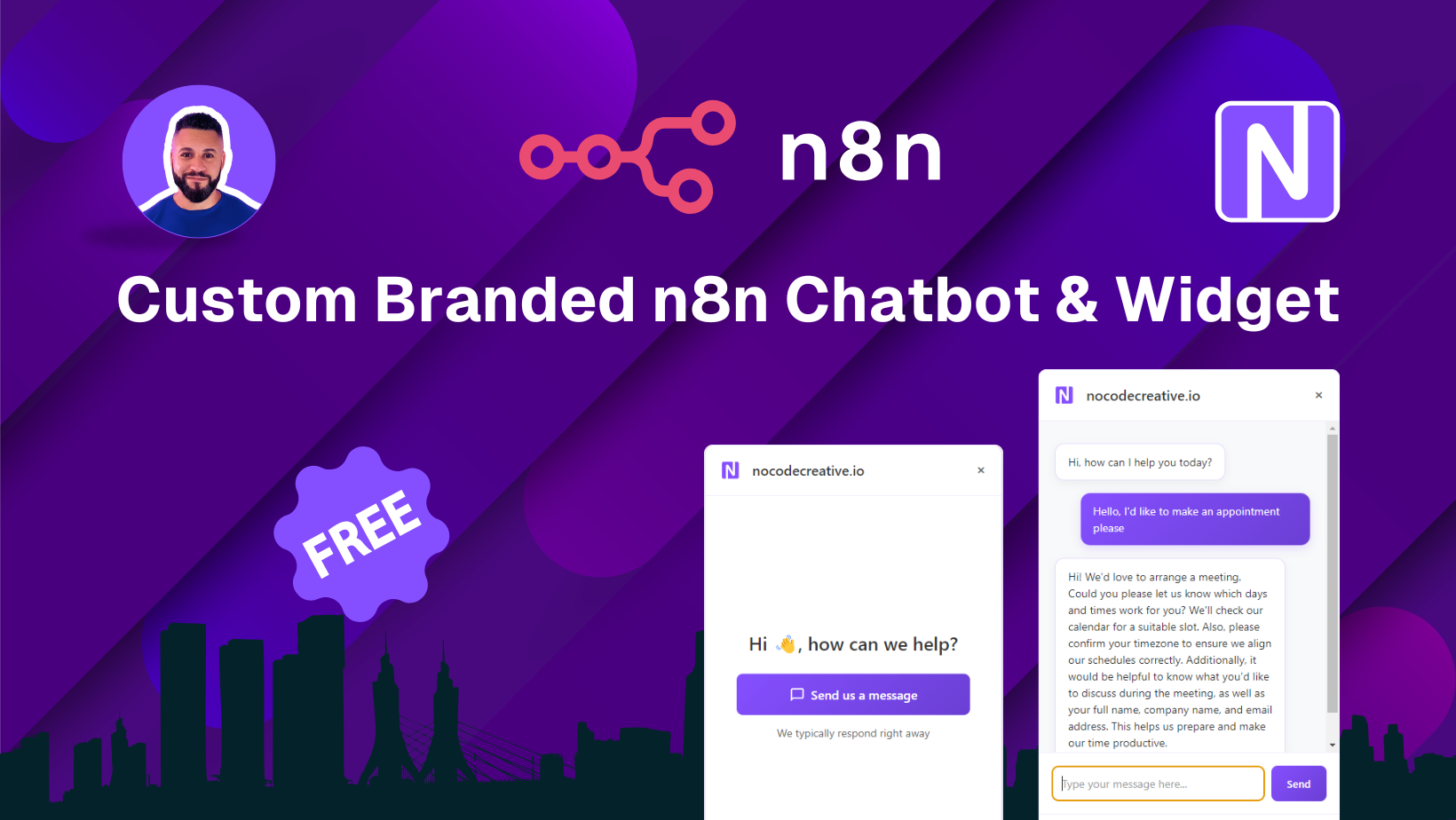](https://youtu.be/xQ1tCQZhLaI)\n\n"
},
"typeVersion": 1
},
{
"id": "f0b054cc-f961-4c48-846c-a80ea5e49924",
"name": "Sticky Note2",
"type": "n8n-nodes-base.stickyNote",
"position": [
1700,
-80
],
"parameters": {
"color": 7,
"width": 600,
"height": 500,
"content": "## Read to blog post to get started 📝\n**Follow along to add a custom branded chat widget to your webiste**\n\n[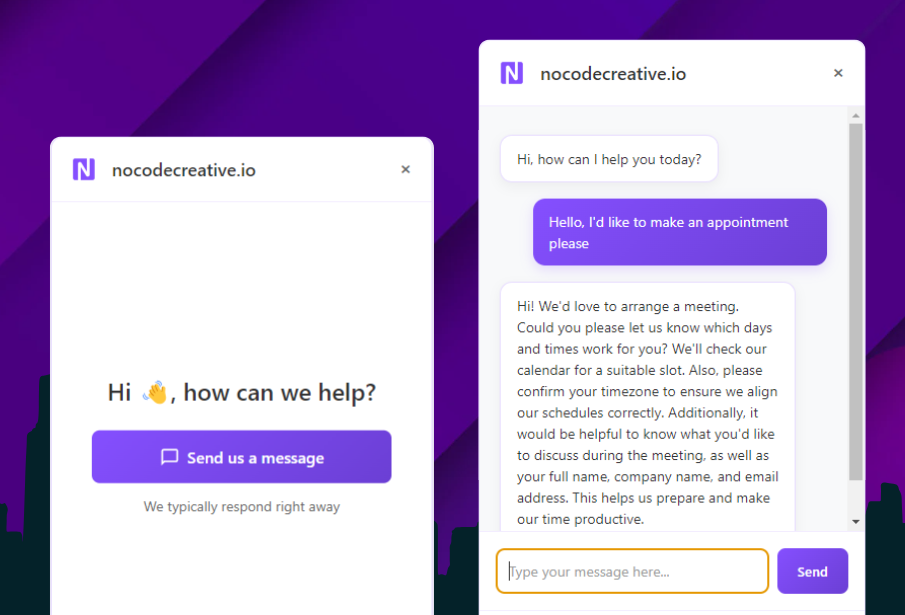](https://blog.nocodecreative.io/create-a-branded-ai-powered-website-chatbot-with-n8n/)"
},
"typeVersion": 1
},
{
"id": "210cef85-6fbe-413e-88b6-b0fed76212ac",
"name": "Sticky Note3",
"type": "n8n-nodes-base.stickyNote",
"position": [
2600,
640
],
"parameters": {
"color": 4,
"width": 260,
"height": 240,
"content": "Customise the email template"
},
"typeVersion": 1
},
{
"id": "17abc6bd-06c3-48e7-8380-e10024daa9f5",
"name": "Sticky Note4",
"type": "n8n-nodes-base.stickyNote",
"position": [
1760,
740
],
"parameters": {
"color": 6,
"width": 208,
"height": 238,
"content": "modify timezones"
},
"typeVersion": 1
}
],
"pinData": {
"Execute Workflow Trigger": [
{
"query": "Check availability for Monday at 9am",
"route": "availability"
}
]
},
"connections": {
"If": {
"main": [
[
{
"node": "AI Agent",
"type": "main",
"index": 0
}
],
[
{
"node": "Respond With Initial Message",
"type": "main",
"index": 0
}
]
]
},
"Switch": {
"main": [
[
{
"node": "Get Events",
"type": "main",
"index": 0
}
],
[
{
"node": "Send Message1",
"type": "main",
"index": 0
}
]
]
},
"AI Agent": {
"main": [
[
{
"node": "Respond to Webhook",
"type": "main",
"index": 0
}
]
]
},
"Get Events": {
"main": [
[
{
"node": "freeTimeSlots",
"type": "main",
"index": 0
}
]
]
},
"Chat Trigger": {
"main": [
[
{
"node": "If",
"type": "main",
"index": 0
}
]
]
},
"Send Message": {
"ai_tool": [
[
{
"node": "AI Agent",
"type": "ai_tool",
"index": 0
}
]
]
},
"Send Message1": {
"main": [
[
{
"node": "varMessageResponse",
"type": "main",
"index": 0
}
]
]
},
"freeTimeSlots": {
"main": [
[
{
"node": "varResponse",
"type": "main",
"index": 0
}
]
]
},
"Get Availability": {
"ai_tool": [
[
{
"node": "AI Agent",
"type": "ai_tool",
"index": 0
}
]
]
},
"Make Appointment": {
"ai_tool": [
[
{
"node": "AI Agent",
"type": "ai_tool",
"index": 0
}
]
]
},
"OpenAI Chat Model": {
"ai_languageModel": [
[
{
"node": "AI Agent",
"type": "ai_languageModel",
"index": 0
}
]
]
},
"Window Buffer Memory": {
"ai_memory": [
[
{
"node": "AI Agent",
"type": "ai_memory",
"index": 0
}
]
]
},
"Execute Workflow Trigger": {
"main": [
[
{
"node": "Switch",
"type": "main",
"index": 0
}
]
]
}
}
}Workflow n8n OpenAI, gestion de rendez-vous, intelligence artificielle : pour qui est ce workflow ?
Ce workflow s'adresse principalement aux entreprises de taille moyenne à grande qui cherchent à automatiser leur processus de prise de rendez-vous. Les équipes de service client, de vente ou de support technique bénéficieront particulièrement de cette solution. Un niveau technique intermédiaire est recommandé pour une mise en œuvre efficace.
Workflow n8n OpenAI, gestion de rendez-vous, intelligence artificielle : problème résolu
Ce workflow résout le problème de la gestion manuelle des rendez-vous, qui peut entraîner des erreurs et des pertes de temps. En automatisant ce processus, il élimine les frustrations liées à la planification, réduit le risque de double réservation et améliore l'efficacité opérationnelle. Les utilisateurs peuvent ainsi consacrer plus de temps à des tâches à forte valeur ajoutée, tout en offrant une expérience client fluide et réactive.
Workflow n8n OpenAI, gestion de rendez-vous, intelligence artificielle : étapes du workflow
Étape 1 : Le workflow est déclenché par une requête Webhook qui reçoit une demande de rendez-vous.
- Étape 1 : Le modèle de chat OpenAI analyse la demande et détermine les créneaux disponibles.
- Étape 2 : Le noeud 'Get Events' interroge les événements existants pour éviter les conflits.
- Étape 3 : Les créneaux libres sont envoyés au demandeur via le noeud 'Send Message'.
- Étape 4 : Si un créneau est sélectionné, le noeud 'Make Appointment' crée le rendez-vous dans le système.
- Étape 5 : Le workflow répond avec un message de confirmation ou d'autres options si nécessaire.
Workflow n8n OpenAI, gestion de rendez-vous, intelligence artificielle : guide de personnalisation
Pour personnaliser ce workflow, vous pouvez modifier l'URL du Webhook pour l'adapter à votre système. Il est également possible de changer les paramètres du modèle OpenAI pour affiner les réponses données aux utilisateurs. Pensez à ajuster les configurations du noeud 'Get Events' pour qu'il interroge votre calendrier spécifique. Si vous souhaitez intégrer d'autres outils, vous pouvez ajouter des noeuds supplémentaires pour enrichir le flux. Enfin, assurez-vous de sécuriser vos données en configurant correctement les authentifications nécessaires.